
Are you subject to Data Protection laws?
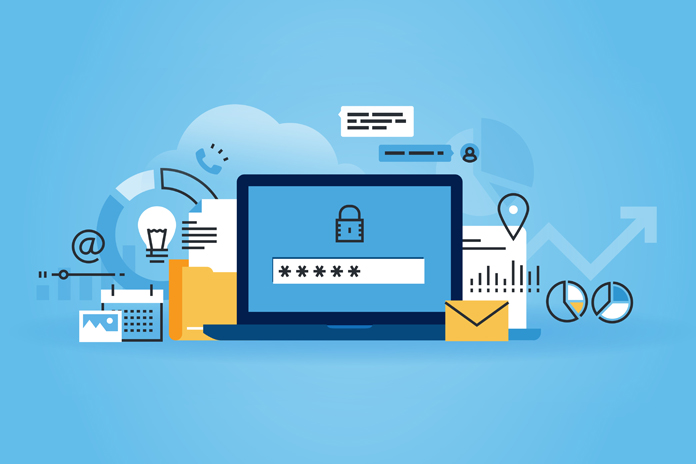
Are you subject to Data Protection laws? This blog introduces a new topic that many may be unaware of: Data Protection laws. These are laws that define fully, or in part, what type of data is covered by government regulations, proscribe general standards for the securing of covered data, and may also require notification of victims and governmental authorities in the event of a breach. Small businesses, no matter what product or service they provide, are likely subject to some manner of regulations regarding the storage and use of digital data. For instance, any medical office or organization that handles medical records is subject to HIPAA, the federal law regarding health data privacy. Meeting IT regulations can be expensive and time consuming and they also require timely upgrades. Failure to stay up to date can lead to fines, penalties, and a damaged reputation. Chances are, you are subject to some data protection or data security laws. You are also very likely to be subject to breach notification laws. As a small business you should consider having an audit conducted to determine if you possess data that may be regulated by these laws. Failure to be aware that you are covered by them does not protect you in the event of a data breach. In our next blog, we will discuss one category of information that is the focus of many data protection laws. This category is referred to as Personally Identifiable Information. When you discover what that includes, it will be pretty apparent why protecting this data is important for the integrity and success of your business.
Ransomware Part II
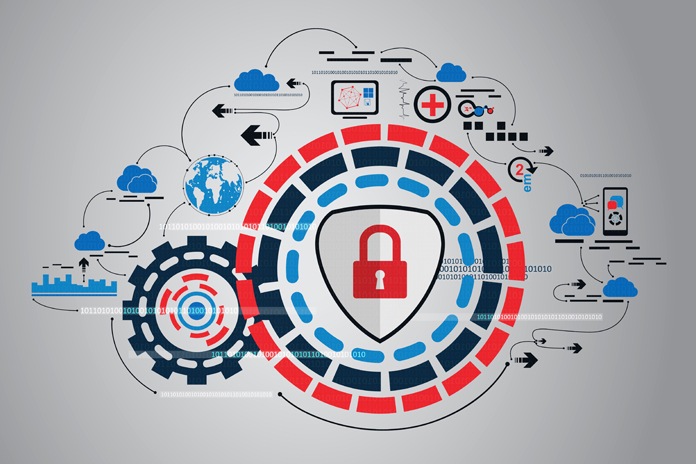
Ransomware Part II In our last blog, we explained what ransomware is, and why it can be an especially troublesome virus. Today, let’s look at what you can do to avoid falling victim.Prevention is the best cure. Follow standard “data hygiene” principles that you probably hear about all of the time. Update your OS, software, and apps whenever a new release or patch is released. Do this ASAP. Some patches may be released solely as a result of the discovery of a vulnerability. Watch out for phishing scams. If anything looks “off” about an email, don’t open it. And never open links you aren’t totally sure of. If unsure, email back to the sender to verify they actually sent you a link. Unfortunately, human error is one of the biggest problems for data security. Employees unwittingly open links received via email or download information from insecure websites. Beyond prevention, the most important thing you can do to make sure your data cannot be held ransom is strictly adhering to a regimen of backups. Routinely backup your data. However, with ransomware, even backups may not be foolproof. If your data has been infected and you are unaware of it, or the backup is not segregated from your network, your backups may also be corrupted. Given the severe consequences of a ransomware attack, consider having a security evaluation done by a managed service provider who will have the security expertise to advise on the best backup protocols for your situation. Ransomware presents some unique challenges that require more sophisticated data protection protocols. Contact a managed service provider for a complete security evaluation.
Ransomware part I
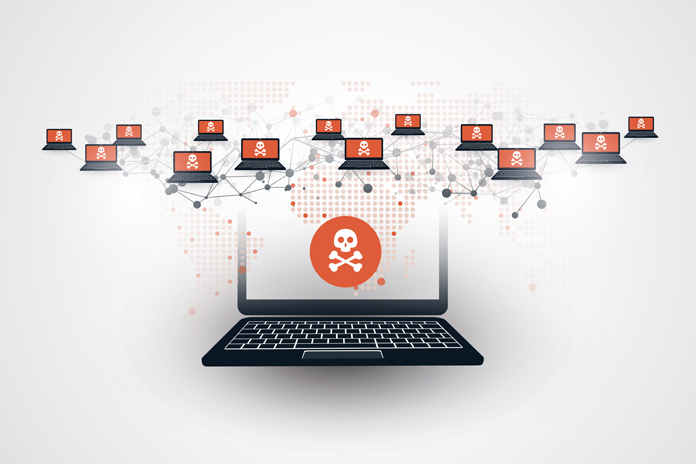
Ransomware part I The daily reports of cybercrime are important reminders about the need to protect your business from malicious behavior that could threaten the success of your business. There are so many different things that can attack your computer, steal your data, and wreck your day. One of the most troublesome has been the development of ransomware. (FYI. Ransomware isn’t actually all that new– some version has been around for decades) Ransomware is a type of computer virus that takes your data hostage and like any kidnapping scheme, demands money for the release of your data. Why is ransomware so nasty? Because it steals the most important thing your business possesses. Data. Worse, once infected there isn’t generally a way out. No one can “disinfect” your machine. You aren’t going to be able to call in IT support to solve the problem. Basically, you have three options. Pay the ransom. This payment is usually via credit card or bitcoin (a digital currency). Some ransomware viruses even provide help lines if you’re having trouble. Of course there are no guarantees your will get access to your data–these are thieves you’re dealing with. Don’t pay and lose your data – This has its obvious downsides, unless… You have a safe, clean backup. In that case, you are stuck with the nuisance of restoring your data with the backup, but you aren’t out any money. However, this comes with a caveat: your backups have to be clean. The problem with ransomware viruses is that just making backups may not be sufficient to protect your data, as the backups can be infected also. In the next blog, we will address your need to add an additional layer of protection to handle ransomware attacks.
Human cloud: the workforce of the future

Companies are increasingly tapping into a virtual, on-demand workforce that’s proving to be a third-generation ecosystem for key talent. The human cloud offers a competitive advantage for startups and small- and medium-sized businesses (SMBs) by letting them outsource specialized skills and expertise globally. Learn what the human cloud is and how it enhances remote team collaboration. Foundr Magazine’s Editor-in-Chief and Publisher Nathan Chan started a ‘passion project’ that led him to interview some of the most influential entrepreneurs around the world, which he shared through his monthly digital publication. For Mr. Chan, the launch of this successful project would not have been possible if it wasn’t for human cloud service Elance, a freelancing platform that allowed him to leverage overseas talent and build a solid team of graphic designers, audio/video editors, and writers. All tasks and projects for each issue of his magazine are run via the platform, which also conveniently processes payments for his contractors. Just like Mr. Chan, many business owners are shifting their labor sources from local to global. According to an online survey by social project manager Wrike, close to 44% of business owners predict a rapid shift to distributed teams within their companies. They believe technology makes their virtual teams just as efficient as if their members were collaborating in one office. Remote collaboration via the human cloud is indeed a game-changer that benefits companies, such as startups, that are inclined to spend fewer resources to build their business infrastructure. What is the “human cloud?” The human cloud is a working platform where staff performs white-collar tasks from any location and on any device. Collaboration, file sharing, or discussions on projects are done in a flexible and productive manner, rewarding team members solely for their output. Although having a virtual workforce comes with a few challenges, overcoming them can yield great benefits for SMBs. Benefits of hiring on the human cloud Low cost – The human cloud helps save time and money spent on traditional employment processes. Hiring is fast and easy; you pay for the skills you need on a transactional basis, as opposed to paying a high monthly wage on physically hired talent who may have too much idle time. No overhead – Hiring on the human cloud requires no overhead for office space, thereby enabling firms to stay lean and profit-focused. By becoming “virtual,” teams can work independently from their homes or anywhere. Get skills on-demand – Employers can contract for micro-tasks, such as copying text from business cards, to larger tasks like selling products for a fee, to even more complex projects such as software design and programming. Global talent pool – Today, even startups can be ‘multinational’, i.e., they are no longer limited by geography in finding key talent with specialized skills. A good idea can come from just about anywhere and can be performed and delivered from anywhere. Easy collaboration – Using an online platform gives SMBs the ability to manage projects through virtual workrooms. Wrike’s survey revealed that collaboration software is extremely important and even mission-critical for remote teams to work efficiently. As more startups and SMBs become familiar (and comfortable) with the advantages of the human cloud, the future of work means that location is not the most important factor in determining who will contribute to your business’s success. A worldwide network of online contractors is now ready to serve you with the qualifications, skill sets, and shared enthusiasm you seek to turn ideas into valuable products or services. For more information on how to leverage cloud technologies or collaboration software, please get in touch with any of our cloud specialists. Published with permission from TechAdvisory.org. Source.
What is a web host?

Businesses need to have an online presence these days, and that usually starts with having a website. But to access your website on the internet, you need to partner with a web host. This blog post breaks down the basics of a web host and the two most common types of hosting. What is a web host? A web host sells or leases memory space on its servers so your website can have a virtual location on the internet. Their services include online storage for all of your site’s files and web pages. Many web hosts also offer domain name hosting, which creates a web address that users can type to access your website (e.g. google.com, inc.com, etc.). Combine these two hosting services and you have the main foundations for your website. You can also get domain-based email addresses (e.g. ryan@google.com) and website databases from web hosts. Essentially, your web host can store everything your website needs. When you sign up with a web host, you will usually pay a monthly fee, which the company uses to maintain and invest in new servers for hosting, increase access speeds, and provide better services. What are the two most common types of web hosting? There are hundreds, if not thousands of web hosts around the world, but they usually fall in one of two categories: Shared hosting – Multiple, different websites are stored on one physical hosting server. Sites have their own partition (section of storage) that is kept separate from other sites on the same server. Dedicated hosting – One website is hosted per server. This means you have all of the server’s capacity to yourself. Which hosting type is best for my business website? Most websites use shared hosting because it’s more affordable while still offering generally stable access and access speeds. This is the ideal hosting type for most small- and medium-sized businesses (SMBs) with fairly simple websites. If your website is going to be large (e.g. thousands of pages) and you are going to host complex features like advanced eCommerce, streaming, etc., then it would be best to opt for a dedicated hosting service. Examples of large sites include Google, Amazon, and government sites, among others. With numerous web hosts out there, selecting the right fit can be quite challenging. But with our IT expertise and solutions, we can help you find the web host that will work best for your business needs. Contact us today to get started with your online presence. Published with permission from TechAdvisory.org. Source.
Hacks to boost the speed of your WordPress site

We’ve all experienced the frustration that comes with a slow-loading website. While 10 years ago, we would have waited patiently as a site loaded with all the urgency of a sloth, today’s internet surfers won’t hesitate to close the tab. Most expect at least a three-second load time, while some won’t settle for wait times over two. So how can you create a faster WordPress website that millennial users won’t close? Here are some ideas to get you started.0 Keep WordPress and plugins up to date While you may already know that updating WordPress and plugins will keep your website secure, you may not know that doing this also increases your site’s speed. So if you want a fast site, install those updates as soon as they become available. Choose a host wisely Your host can make or break your website, so before you select your host, do some research on the various options out there, particularly on their website speed and uptime. Also, while your first impulse may be to choose shared hosting because of its low cost, be aware that it’s also going to be your slowest option in terms of speed because many websites are simultaneously relying on the same server for bandwidth. If it’s not an option for small- or medium-sized businesses (SMBs) to use a dedicated server because of cost restrictions, their best alternative in the middle price and performance range is a virtual private server (VPS). This acts like a dedicated server in terms of functionality, but still technically uses a shared server. Regardless, using a VPS will give you a boost in speed over typical shared hosting. Keep your site lean The leaner your site is, the faster its speed will be. To create a lean site, be mindful of these four aspects: Theme – While the promise of a versatile theme can spark the imagination, actually implementing one can set you back in terms of speed. When a theme has a ton of features, the amount of code to produce those features can bog down your site. To avoid this scenario, test the theme demos to see how long it takes for them to load. If it’s more than a few seconds, look for a lighter theme that loads faster. Design – Similar to theme, design elements have the ability to dramatically slow down the speed of your site. Simple sites are faster, so think carefully about what ads, images, and extras you’re going to use. Plugins – Not all plugins are created equal; some run fast and others slow. To tell one from the other, you can use special plugins that show the impact a plugin has on your site’s load time. Another rule to follow is that fewer plugins equals more speed. So think twice before your next plugin installation spree. Images – Bulky images can also slow down your site. And while many raw images are around 3,000 to 4,000 pixels wide, most featured images are only 600–800 pixels wide. To reduce image weight and gain a faster site, resize them to the exact size they’ll appear on your screen. Mind your plugins You should stick to only the essential plugins to speed up your site. Cache plugins like W3 Total Cache and WP Super Cache can provide more speed by caching every aspect of your site and reducing its download times. Another helpful plugin is Lazy Load. It speeds up your site by loading the elements at the top of the website first, where viewers are looking when they first visit your site. Before installing the Lazy Load plugin, check your Theme Options to see if you already have it. Create redirects sparingly If a page on your site needs to be redirected to another page, it can really slow down your site so it’s best to use them as little as possible. And to ensure you aren’t using any unnecessary links without knowing it, use the Redirect mapper tool or similar alternatives that help you find redirects you don’t need. If you implement some or all of the speed tips above, you’re sure to see a noticeable difference in the speed of your site. Do you need more tips to optimize your website? Do you need help with web or IT matters? We’re just a phone call away. Published with permission from TechAdvisory.org. Source.
Website cloning: Don’t fall for that trap!
Website cloning: Don’t fall for that trap! Have you watched one of those horror movies where the something impersonates the protagonist only to wreak havoc later? Well, website cloning does the same thing–to your business–in real life. Website cloning is one of the most popular methods among scammers to fleece you of your money. As the name suggests, the cybercriminal first creates a ‘clone’ site of the original one. There can be a clone of any website, though retail shopping sites, travel booking sites and banks are the favorites of cybercriminals. The clone site looks exactly like the original one, barring a very miniscule change in the url. Next, they will create a trap intended to get unsuspecting victims to visit the clone site. This is usually done via links shared through emails, SMS messages or social media posts asking them to click on a link to the clone site. The message urges the recipient to take an action. For example, a message that presents itself as though it is from the IRS, asking the recipient to pay pending taxes by clicking on a specific link to avoid a fine or business shutdown, or an SMS about a time-bound discount on iPads. Sometimes, they go straight for the target and masquerade as a message from your bank asking you to authenticate your credentials by logging into your banking portal–the only glitch, the banking portal will be a clone. Staying safe So, how do you identify a clone website and a dubious message? Does the email sound too good to be true? Well, then it probably is. Nike giving away free shoes? Emirates Airlines giving you free tickets to Europe? Apple iPhone X for just $20? All of these scream SCAM! Even if the message sounds genuine, such as an email from your bank asking you to authenticate your login credentials, check the email header to see if the sender’s email domain matches your bank’s. For example, if your bank is Bank of America, the sender’s email ID should have that in the domain. Something like customercare@bankofamerica.com could be genuine, whereas, customercare@bankofamerica.net is suspicious. Check the final URL before you enter any information to make sure it is the actual one. Most shopping/banking websites, where payments are made and other personal details are shared are secure (HTTPS)and will have a lock symbol at the beginning of the URL. Also, check the domain. For example, something like- www.customerauthentication.com/bankofamerica is not Identifying a cloned website is tricky, but it is not something you can afford to ignore.Giving away your personal and financial information to a fraudster can cause a lot of harm to you and your business.
The benefits of a cloud-based ERP

Businesses seeking to integrate their various systems may be intrigued by a cloud solution. An increasingly popular cloud solution for small- and mid-sized businesses (SMBs) is the enterprise resource planning (ERP). Find out what a cloud-based ERP is, and how your business can benefit from it. Define: Cloud-based ERP ERP is management software, usually offered as a bundle of applications, that aims to help businesses automate the collection, storage, management, and interpretation of data from various sources like accounting, inventory, marketing, service delivery, etc. With ERP, business owners and managers can get an integrated real-time view of business processes, resources, and commitments. Cloud-based ERP solutions are simply a suite of ERP apps delivered to users over the Internet, usually accessed via a browser. The software usually does not need to be installed on computers and is offered on a per-user, per-month, flat-rate fee. Companies using a cloud-based integrated ERP solution have experienced the following five benefits: 1. Increased ERP performance One issue with in-house ERP solutions is that they require proper set up and maintenance to function at their most efficient. If all that is done poorly, then performance suffers. With cloud-based solutions, the provider takes care of hosting the solution. You know that experts are the ones maintaining the system, so you’re assured that your ERP should perform at its peak performance. 2. Decreased operating costs An in-house ERP solution requires the purchase of the software, its related licenses, and the hardware to support it. Plus you need to hire staff to install and maintain it. All that will drive up the overall IT budget, something most SMBs cannot immediately afford. But with a cloud-based ERP, you normally only have to pay a flat-rate monthly fee, so the total cost of implementation will likely be far lower. Many providers can also manage the solution for you. This will even out your operating costs, and if implemented correctly, will result in an overall decrease in expenses. 3. Enhanced access to information Companies that don’t have any ERP will likely struggle to find the information they need, when they need it. ERPs can help consolidate the relevant information in a more effective manner than, say, spreadsheets. And since cloud-based ERP solutions are accessible via the Internet, you now have access to your information from anywhere with an Internet connection. 4. Increased security ERP systems process critical business information, so you will want to keep your data secure from outside sources and unauthorized users within your organization. To keep your data safe from unauthorized outside sources, cloud-based ERP solutions offer enhanced security measures that protect your data when it is at rest and when it moves from your systems to the host servers. And for internal data security, users will need an assigned account to access your ERP systems. This gives you control over who is given an account or not. Furthermore, you can also limit who can access your system via central admin panels. 5. Continued support Cloud-based ERP solutions offer 24/7 support. ERP solutions providers can fix problems faster than if you leave them to your employees. Providers also make sure that solutions are kept updated. Hackers have been known to attack businesses that use outdated versions of popular ERP programs. If you want to learn more about cloud-based ERP solutions, contact us. We’ll be glad to assist you. Published with permission from TechAdvisory.org. Source.
BYOD=Bring your own disaster?
BYOD=Bring your own disaster? Workplaces today have changed. They extend beyond the working hours, beyond the cubicles. Whether you are commuting to work or even vacationing, chances are you or your employees take a break from the break to reply to those important emails that require ‘immediate action’. Plus, there may even be employees who are not even on the same continent as you. What does all this mean for your business in terms of IT security? Does BYOD translate to bring your own disaster to work? This blog explores the risks of BYOD culture and offers tips on how you can avoid them. When you adopt a BYOD culture at your business, you are opening the virtual floodgates to all kind of malwares and phishing attacks. Your employee may be storing work-related data on their personal devices and then clicking a malicious link they received on their personal email or (even whatsapp in case of tablets or smartphones) and put your entire network at risk. Secondly, you cannot control how your employees use their personal devices. They may connect to unauthorized networks, download unauthorized software programs, use outdated antivirus programs etc,. Even something as simple and harmless as the free wifi at the mall can spell danger for your data. What you can do? First of all, if you have decided to adopt the BYOD culture in your organization, ensure you have a strong BYOD policy in place. It should cover the dos and don’ts and define boundaries and responsibilities related to the BYOD environment. It also makes sense for you to invest in strong antivirus software and mandate those employees following the BYOD model to install it. You can also conduct device audits to ensure your employee’s personal devices are up-to-date in terms of software, security and firewall requirements to the extent that they are safe to be used for work purpose. And one of the most important aspects–train your employees on the best practices related to basic data security, access and BYOD environments. This will ensure that they don’t make mistakes that prove costly to you. You can conduct mock drills, tests and certifications and provide the BYOD privilege to only those who clear your tests. You could also use positive and negative reinforcements to ensure everyone takes it seriously. BYOD is great in terms of the flexibility it lends to both–the employer and the employee, and the trend is here to stay. It is up to businesses to ensure it helps more than it can hurt.
Why you need the cloud?
Why you need the cloud? When talking to our clients, we have noticed that SMBs often think the cloud is something for their bigger counterparts to explore. We hear objections like, “But, it’s too complicated.”, “The cloud sounds expensive.”, “We are a small business, we don’t think we need the cloud.”, Hold on! In reality, it is the SMBs that benefit the most from the cloud. Here’s how… The cloud grows with you Yes, you may be a SMB today and perhaps a few desktops and in-house hard-disks are sufficient as of now. However, as you grow, your data storage needs will increase and you will need much more than a few external hard-disks. Servers become expensive and wholly owning one is not very cost-effective.Change the dynamic:he cloud grows with you–you can scale up or down on cloud usage easily and save on costs. Plus, when using cloud storage, you are sharing your server space with others, so you essentially pay for only what you use. Security is not your concern When you store your data in-house, the headache of security, backups and updates falls on you. However, with the cloud, all of that becomes your cloud service provider’s responsibility. You focus on running your business and your cloud service provider will take care of your data’s security and accessibility. . Accessibility When you store your data on the cloud, it is accessible from anywhere using the internet. That lends a lot of flexibility to you. You or your employees don’t have to be in the in the office or have immediate access to their computers to be able to work. A quick order can be processed or an invoice can be raised even using an iPad or a smartphone! So, don’t you think it may be beneficial to get a little ‘cloudy’? For more, download our whitepaper- Demystifying the cloud in layman’s terms https://drive.google.com/open?id=0B0TD9Kobul-VcnNsNUk2djJqb2s