
Understanding fileless malware
Though fileless malware has been around much longer, it only became a mainstream method of cyberattack in 2017. With fileless malware, cybercriminals are able to use legitimate tools and services, such as existing software, applications, and authorized protocols, to carry out malicious activities like unauthorized data retrieval or data damage. Left unchecked, these types of malware can adversely affect your business processes and the infrastructures that run them. What is fileless malware? Fileless malware is malicious software that doesn’t rely on executable files to infect your infrastructure. Rather, it hides in your computer’s random access memory and uses trusted, legitimate processes, such as Microsoft Office macros, PowerShell, and Windows Management Instrumentation. Fileless malware isn’t as visible as traditional malware. It uses a variety of techniques to stay persistent and can adversely affect the integrity of a business’s processes and the infrastructures that run them. Because there are no files to trace, fileless malware escapes detection by most anti-malware programs, especially those that use the databases of known threats. Most automated sensors cannot recognize illicit scripts, and cybersecurity analysts who are trained to identify them usually have a hard time determining where to look. What potential damage can fileless malware do? If it is not detected and removed, fileless malware can do a lot of damage to business systems, such as: Steal or destroy data Modify files without authorization Act as a backdoor for other types of malware Cause system crashes and instability Disrupt normal operations by taking up CPU time or memory Examples of high-profile fileless malware attacks include the Democratic National Committee hacking in 2016 and the Equifax data breach in 2017. How big of a threat is fileless malware? Cybersecurity provider WatchGuard Technologies’s Internet Security Report for Q4 2020 found that fileless malware attacks during the year jumped by 888% from 2019. Worse still, their Q2 2021 report revealed that just halfway through 2021, the number of fileless malware detections originating from scripting engines like PowerShell was already at 80% of 2020’s total script-initiated attack volume. How can you defend against fileless malware? Your business should practice defense in depth in which you implement multiple safeguards to reduce exposure and mitigate damage. Such safeguards include keeping your systems updated, limiting user access rights and privileges, cultivating a security-aware workforce, and utilizing advanced security solutions that analyze behavioral trends. Lastly, you should also partner with a managed IT services provider that offers 24/7 network monitoring, security audit, and penetration testing. Call us today to get started. Published with permission from TechAdvisory.org. Source.
The dangers of password autofill

Modern web browsers and password managers come with a feature called password autofill. This helps users store and automatically use their account credentials to access websites and other applications. While password autofill is convenient, it comes with security risks. Why password autofill is so dangerous Modern web browsers and password managers have a feature that enables usernames and passwords to be automatically entered into a web form. This feature isn’t completely safe, however. If you enable this feature and hackers gain access to your computer or web browser, it will be easier for them to infiltrate your accounts because the autocomplete feature will fill in all saved credentials. Tricking a browser or password manager into providing saved information is incredibly simple. All a threat actor needs to do is place an invisible form on a compromised webpage to collect users’ login information. Once the browser or password manager enters the user’s information, the hacker will gain access to that data. Using autofill to track users Shrewd digital marketers can also use password autofill to track user activity. For instance, they can track people based on the usernames in hidden autofill forms they place on websites and sell the information they gather to advertisers. While they don’t intend to steal passwords, there’s always the likelihood of exposure. One simple security tip A quick and effective way to improve your account security is to turn off autofill. Here’s how to do it: On Microsoft Edge – Open the Settings window, click Profiles, and then select Passwords. Disable “Offer to save passwords.” On Google Chrome – Open the Settings window, click Autofill, and disable “Offer to save passwords.” On Firefox – Open the Settings window, then click Privacy & Security. Under the Logins and Passwords heading, untick the box next to “Autofill logins and passwords.” On Safari – Open the Preferences window, select the Auto-fill tab, and turn off all the features related to usernames and passwords. Having good password security habits can significantly protect your sensitive data. For 24/7 cybersecurity support that goes far beyond protecting your privacy, call us today. Published with permission from TechAdvisory.org. Source.
Is it a good idea to monitor your employees’ online activities?

In a world where the internet plays such a crucial role in any and all businesses, it can be hard to imagine a time when employers didn’t place as much emphasis on monitoring their workers’ online activities. Today, many managers and team leaders feel the need to keep an eye on what their employees do online in order to protect their company from liability or loss of sensitive information. But is it really a good idea to monitor your employees’ online activities? Read on to find out. The case for monitoring Monitoring your employees’ activities on company devices can be beneficial, as it helps: Protect your organization from data theft or harm since careless or disgruntled employees may leak or steal your data. Ensure members of your staff comply with policies such as not downloading illegal programs or visiting websites with illegal or hostile content. Provide evidence in case of a lawsuit should an employee participate in illegal activities using your business’s computers. Arguments against employee monitoring Of course, you should also be aware of the potential downsides to monitoring. These include: Reduced productivity, as monitoring can put a damper on employee morale and the perceived distrust may make your employees less driven to perform well. Privacy or discrimination issues that may stem from you being privy to personal details about your employees that you would’ve never known about had you not monitored them. For example, you may discover their political or religious views, sexual orientation, or medical problems. This subjects your business to potential privacy or discrimination issues if you or your management team acts negatively based on any of this information. Monitoring guidelines to follow If you decide to monitor your employees, here are a few tips you should follow. 1. Create written policies When you monitor your employees, ask yourself, “Am I doing this for security purposes? Is it to ensure my employees aren’t wasting time on games or social media?” Monitoring policies that are too strict could create an atmosphere of distrust. Set guidelines for acceptable use of email and social media, web browsing, instant messaging, and downloading software and apps. Also, make sure to include how monitoring will be carried out and how data will be used, secured, and destroyed. 2. Inform your employees It’s important to inform your employees about the scope of your monitoring policies. If they find out you’re doing it secretly, you could face legal issues. Explain to your employees why you’re monitoring them and the risks your business faces from misuse of digital assets. Reassure them you’re not doing it to spy on their personal lives, but to create a compliant and law-abiding workplace. Because their activities will now be less private, encourage your staff to use their smartphones for personal matters. Also, provide your employees with a copy of your written policy for them to read and sign. If implemented correctly, employee monitoring makes your business more secure and productive. For more information about security and other IT support tools, get in touch with us today. Published with permission from TechAdvisory.org. Source.
Here’s what you should know about distributed spam distraction
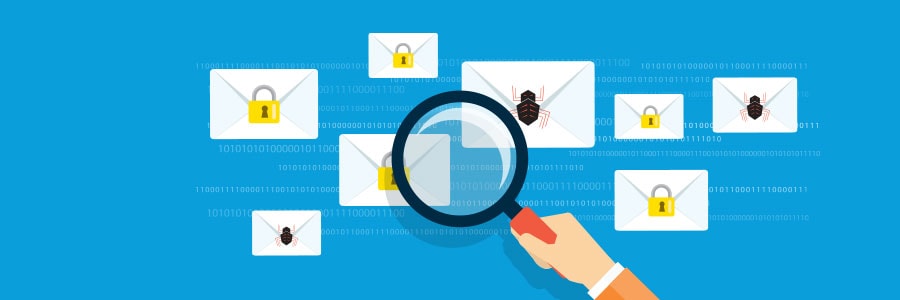
Cybercriminals are always devising ways to attack both individuals and businesses inconspicuously. This helps them avoid detection, which buys them time to infiltrate a system and take hold of information they can leverage for a bigger attack. One way crooks do this is through distributed spam distraction (DSD) schemes. What is DSD? DSD is a type of attack wherein cybercriminals bombard email inboxes with tens of thousands of emails in a short span of time, typically between 12 and 24 hours. These emails don’t contain dangerous links, ads, or attachments, just random excerpts of text taken from books and websites. But because of the sheer volume of these emails, deleting and blocking each one of them can be overwhelming. Worse, the email and IP addresses used to send them are all different, so victims can’t simply block a specific sender. While these spam messages may seem like harmless annoyances, their true purpose is to draw victims’ attention away from what attackers are doing behind the scenes, which is stealing and using personally identifiable information to conduct a raft of illegal activities. These include stealing money from the victims’ bank accounts or making unauthorized purchases in their name. In a DSD attack, the thousands of spam emails serve as a smokescreen that hides payment confirmation messages. In other words, if you are receiving an unusually large volume of emails from legitimate-looking accounts, you should act very quickly because the attackers likely already have access to your login credentials. What signs should users look out for? Over the years, attackers have developed new DSD tactics. Several reports show that instead of nonsensical emails, these crooks are using automated software to trick their targets into signing up for thousands of free accounts and newsletters to distract them with authentic messages. This allows DSD blasts to slip past spam filters that weed out the email text used in traditional DSD attacks. Also, anyone can go on the dark web and pay for DSD services. For as little as $40, you can get an attacker to send out 20,000 spam emails to a specific target. All you need to do is provide the attacker with your target’s name, email address, and credit card number — all of which can also be purchased on the dark web. What to do if you’re experiencing a DSD attack DSD is a clear sign that your account has been hijacked, so if you receive dozens of emails in quick succession, contact your bank to cancel any unfamiliar transactions and change your login credentials as soon as possible. Also, you should install anti-spam software, or update your existing software if you already have one to protect your inbox from future DSD attacks. Attackers only initiate DSD attacks after they’ve obtained their target’s email address and personal information, so make sure your accounts and identity are well protected online. Regularly change your passwords and PINs, enable multifactor authentication, set up SMS and/or email alerts for whenever online purchases are made in your name, and be careful about sharing personal information with others. DSD is just one of many cyberthreats out there. For expert advice on how to ensure your safety and security online, get in touch with our team of IT professionals. Published with permission from TechAdvisory.org. Source.
Printer security tips to prevent cyberattacks against your business

Business leaders invest a lot of time and resources into cybersecurity because they understand that protecting sensitive data is a necessity in the digital age. One business component that often gets overlooked are business printers. They are also vulnerable to cyberattacks, so make sure to follow these tips to ensure your company stays protected. What makes business printers vulnerable to cyberattacks? When assessing network security threats, companies primarily focus on servers and computers not only because these are the most exposed to external threats, but also because they get the bulk of cyberattacks. Printers are often at the bottom of the list since they are not prime targets. What’s more, their functions seem to be internal at first glance, as they don’t interact with external systems. But it’s exactly because of their primary functions, namely printing and scanning, that make print devices perfect cybercriminal targets. Businesses run important documents such as tax forms, employee information, medical records, and financial statements through print devices — information that hackers would definitely love to get their hands on. And they can, easily. Network printers store previous print jobs in their hard drive, sometimes including those that have been canceled. If anyone accesses the printer — even remotely — they may be able to see those documents by hacking into the printer using a specialized tool. Files can also be intercepted during wireless transmission, as modern printers can now be connected to the web. Not only can hackers exploit printers’ open network ports to view data, but they can also take over vulnerable printers and transmit their own data through these machines. Lastly, hackers can exploit vulnerable printers to bypass your cybersecurity system. Once they find a way in through your printers, crooks can then launch broader cyberattacks from within your network, which can be difficult to contain. What can you do to protect your business printers? Business printers should not be disregarded when planning a cybersecurity strategy. Keep your print devices secure by following these best practices: Monitor your network surreptitiously and always promptly install printer software updates and patches. Printer manufacturers often release software support or updates, so always be on the lookout for those. Change the default password and administrator login credentials of printers with web management capabilities. Allow only company-owned devices to connect to your printers. Always connect to your printers using secure connections. Conversely, avoid accessing your printers through a public internet connection. Restrict printer access by using a firewall. If your wireless printer has a feature that requires users to enter a PIN before they can print documents, enable it to prevent unauthorized access. If you don’t use your printer for fax and email, isolate your printer from your main company network and disable out-of-network printing. If you handle classified data, do not connect your printer to any network. Instead, connect it directly to your computer using data cables or print from a thumb drive. Secure your printouts by enabling manual feed. This setting requires a user to manually input paper (or any material to be printed on), reducing the risks of the printed document getting stolen or being left in the printing area. Another way to secure your printers is by partnering with an IT company that can take care of your printer-related worries. From thwarting attacks to reducing management costs to keeping your printer at optimal functionality, our experts can help. Are you interested in learning more about cybersecurity? Call us today and discover how our wide array of tech services can safeguard your business. Published with permission from TechAdvisory.org. Source.
Picking the right VPN for your business

Virtual private networks (VPNs) keep your online activities secure and private, which is especially useful if you’re using a public Wi-Fi network. But considering the variety of VPNs in the market today, it’s hard to find which one is the best for your business. Here are tips to help you make the right choice. What is a VPN? A VPN creates a secure tunnel between your device and the websites you visit, protecting you from hackers looking to intercept your data. All data transmitted and received through this secure connection is encrypted, preventing any third party from monitoring your online activities. VPNs can also disguise your location. Once you’ve established a connection to a VPN server, your computer acts as if it’s using the same local connection as the VPN. As far as websites are concerned, you are browsing from the server’s geographical area and not your actual location. Why should you have a VPN? VPNs augment your cybersecurity and help protect your privacy. For instance, it’s generally considered bad practice to connect to public Wi-Fi networks, like those in cafes, libraries, and airports. This is because all data transmitted through these networks are unencrypted and, thus, are susceptible to exposure and theft. If you must use public Wi-Fi, make sure to activate your VPN. The VPN encrypts your data and keeps your connection secure as you surf the internet. VPNs’ ability to mask your location also makes them ideal for accessing geo-restricted websites and content. If you’re traveling abroad and you find that critical documents or US websites are geo-blocked in your current location, just connect to a VPN server in the United States to regain access. How do you choose a VPN? Given the increasing demand for greater online privacy, VPNs are surging in popularity. When selecting which VPN to purchase, take the following into account: Cost There are free VPNs out there, but they likely keep logs of your internet activity or are filled with disruptive ads. That’s why it’s best to invest in paid VPNs like NordVPN and ExpressVPN. These paid options come with robust features, such as a large list of available servers, and configurations that bolster your data’s security. Location Where your VPN’s servers are located matters for several reasons. For one, the farther away the server you’re connected to is, the greater the likelihood that you’ll suffer latency issues. For a smooth surfing experience, it’s best to connect to the closest available server. Additionally, if you want to avoid geo-restrictions, you’d want to connect to servers in the same location as the content you’re looking to access. This means if you want to access research published in the United Kingdom, make sure your VPN has servers located in that country. Capacity Inquire with the provider or read their terms of service to determine how much data you’re allowed to use. If your tasks require a lot of online resources, then you should choose a VPN with a high data allocation. Also, find out how many of the VPN servers are online; a greater number of online servers means the VPN is capable of supporting resource-intensive tasks Device compatibility Choose a VPN that can be used across multiple devices. If you use your laptop, tablet, or smartphone to do your tasks, then you should invest in a VPN that’s compatible with all of these. IP leak Some VPN tunnels are not as secure as others. In some cases, the VPN could leak your IP address, enabling third parties to track your data and activities. Before buying a VPN, sign up for a free trial of the service if available. Activate the VPN and visit IP Leak. If the website says your IP address is being leaked, choose a different VPN. If you need help in selecting the right VPN for your business, consult with our security experts today. We also offer comprehensive cybersecurity services so no hacker or third party can get their hands on your data. Published with permission from TechAdvisory.org. Source.
A guide to implementing proactive cybersecurity measures

Running a business has always been a challenge, but the ever-evolving cybersecurity landscape has made it even more so. Every day, newer, more sophisticated cyberthreats emerge, putting businesses at risk of significant data, productivity, and financial losses. Implementing a proactive cybersecurity strategy is an effective way to keep these threats at bay and ensure continuous operations. Here’s how to do it. What is proactive cybersecurity? Traditional cybersecurity is reactive — your IT team or managed IT services provider (MSP) will be alerted of a cyberattack after it has happened, leaving them to alleviate the impacts. In contrast, proactive cybersecurity is preventative — it takes into account all potential threats and seeks to identify vulnerabilities so that they can be addressed before they lead to larger, downtime-causing issues. Many organizations have adopted proactive cybersecurity measures along with reactive ones and are now reaping the benefits, including the ability to stay one step ahead of cyberthreats and improved data compliance. How to implement proactive cybersecurity In adopting a proactive approach to cybersecurity in your organization, you must follow these steps: Understand the threats you’re facing Before you can work toward preventing cyberattacks, you must know exactly what you’re up against. Seek the help of your in-house IT staff or MSP in identifying the types of attacks that are most common in your industry. Reevaluate what it is you’re protecting Once you have a list of the biggest threats to your organization, you need to take stock of how each can damage the various components of your network. Map out every company device that connects to the internet, what type of data they have access to (regulated, mission-critical, low-importance, etc.), and what services are currently protecting those devices. Choose proactive cybersecurity measures to put in place Depending on the risks and assets uncovered in steps 1 and 2, your IT team or MSP may recommend any of the following measures: Proactive measure What it entails Security awareness seminars for all internal stakeholders Train everyone from the receptionist to the CEO about effective security practices such as password management, proper mobile device usage, and spam awareness. Updated anti-malware software or cloud-based service Protect your data and systems against the latest and most menacing malware. Routine software patches and upgrades Minimize the chances of leaving a backdoor to your network open. Web filtering services Blacklist dangerous and inappropriate sites for anyone on your network. Perimeter defenses (e.g., intrusion prevention systems and hardware firewalls) Scrutinize everything trying to sneak its way in through the borders of your network. Policy of least privilege Limit users’ access only to the data they need to fulfill their tasks. Data segmentation Rank data according to sensitivity and build micro-perimeters around high-value datasets. Full-disk encryption Make data stored in computers and portable devices unreadable so that if these machines are stolen, the files they have inside remain secure. Virtual private networks Make data transmitted across unsecured connections unreadable so that intercepting it would become futile. Strict access controls Prevent unauthorized access to accounts by using strong passwords, multifactor authentication, and auto screen locks and logouts for idle users. AI-powered network monitoring Identify suspicious user and software behaviors such as employees accessing files outside their departments. If you’re looking to implement a proactive cybersecurity strategy to protect your business’s critical systems, give our professionals a call today. We’ll assess your needs and recommend the best, most effective solutions to address them. Published with permission from TechAdvisory.org. Source.
Surefire ways to protect your email account
If you think your email is safe from hackers, think again. A lack of sufficient email security protocols can lead to data theft, unauthorized access to sensitive information, and successful malware attacks. Here are some tips to secure your email account from cyberthreats and the many troubles that come with them. Use separate email accounts Most people use a single email account for all their online tasks. As a result, all information from websites, newsletters, shopping deals, and messages from work gets sent to one inbox. But what happens when someone breaks into that email account? Hackers could gain access to all the stored information and connected online accounts and use these in fraudulent dealings. To prevent this from happening, create separate email accounts: a personal account to communicate with your friends and family, and a professional email account solely for work-related tasks. Set strong passwords Some email users often overlook the importance of having strong email account passwords. You might be surprised to learn how many people use weak passwords like “123456,” “qwerty,” and “password” and reuse passwords across multiple accounts. To keep all password-protected accounts safe, use strong passphrases that are unique to every account. You should also consider enabling multifactor authentication. This creates an extra layer of security by requesting another method to verify your identity, like a fingerprint scan or an answer to a security question. Beware of email attachments and embedded links When you see a link in an email, don’t click on it unless you’ve verified its authenticity. You never know where those links might lead you. Sometimes they are safe, but other times they can infect your computer with malware or send you to a compromised website. Be wary of downloading and opening email attachments as well. If the attachment is coming from strange email account names such as “@yahoo6753.com,” then it’s likely unsafe. Watch out for phishing scams In phishing scams, cybercriminals pretend to be someone else — commonly high-profile companies like Amazon, Facebook, or Bank of America — to trick you into performing actions that enable them to breach your accounts. They typically write emails intended to elicit panic, such as claiming that there’s an issue with your account and that you should send them information or click on a link to “confirm” your personal details. This link will either install malware on your device or lead you to a fraudulent site. It’s important to remember that legitimate companies would never ask such requests over email. If you get those types of messages, contact the company directly through a verified website or phone number — not the contact details in the email. Monitor account activity Periodically watch over your account activity. Check for any suspicious activities in your logs, such as unusual devices and IP addresses that have accessed your account. These indicate that hackers may have successfully broken into your account. If this is the case, sign out of all web sessions and change your password as soon as possible. Encrypt emails Email encryption ensures that any message you send can’t be understood by unauthorized users, even if they manage to intercept it. Keep all email security software up to date Install the latest updates for your anti-malware, firewalls, and email security software. This will filter potential email scams and fix any vulnerabilities that hackers could exploit. Implementing multiple email security measures can be daunting, but with our help, you can rest easy knowing that your email accounts will be protected from various cyberthreats. Talk to us today for all your cybersecurity needs. Published with permission from TechAdvisory.org. Source.
Think your password is secure? Think again

The National Institute of Standards and Technology (NIST) created many of the password best practices you probably loathe, including using a combination of letters, numbers, and special characters. The NIST now says those guidelines were ill-advised and has changed its stance. Find out why and what this means for you. The problem The issue isn’t that the NIST advised people to create easy-to-crack passwords, but their previous advice inadvertently made people generate weak passwords using predictable capitalization, special characters, and numbers, like “P@ssW0rd1.” Such a password may seem secure, but the string of characters it’s made up of could easily be compromised by hackers using common algorithms. Furthermore, while the NIST also recommended that people change their passwords regularly, they did not specify how and when to change them. Without proper guidance, many people assumed that this meant adding or changing one or two characters every year or so. The NIST essentially forced everyone to use passwords that are hard for humans to remember but easy for a hacker’s algorithm to crack. Eventually, the institution admitted that their recommendation creates more problems than it solves. The NIST has then reversed its stance on organizational password management requirements, and is recommending banishing forced periodic password changes and getting rid of complexity requirements. The solution Security consultant Frank Abagnale and Chief Hacking Officer for KnowBe4 Kevin Mitnick both see a future without passwords. Both security experts advise enterprises to implement multifactor authentication (MFA) in login policies. MFA requires a user to enter one or more valid credentials aside from a password to gain access to an account. This could be a physical security key, a login prompt on a mobile device, or a facial or a fingerprint scan. Without the additional security requirements, hackers’ attempts to crack passwords would be futile. Moreover, Mitnick recommended implementing long passphrases of 25 characters or more, such as “recedemarmaladecrockplacate” or “cavalryfigurineunderdoneexalted.” These are much more difficult to guess and less prone to hacking. Simply put, passwords should be longer and include nonsensical phrases and words that make them almost impossible for an automated system to crack. What’s more, the NIST recommends making screening of new passwords against lists of common or compromised passwords mandatory. This is because a complex, 25-character password is already considered weak the moment it has been compromised. Finally, you should also enforce the following security solutions within your company: Single sign-on – allows users to securely access multiple accounts with one set of credentials Account monitoring tools – recognizes suspicious activity and locks out hackers from the network OR keeps hackers from accessing the network. When it comes to security, ignorance is your business’s kryptonite. If you’d like to learn about what else you can do to remain secure, just give us a call. Published with permission from TechAdvisory.org. Source.
Consider these points when purchasing antivirus software

If you think cybersecurity protection is only for large enterprises, think again. More and more cybercriminals are targeting small- and mid-sized businesses because of their lack of proper cybersecurity solutions. Viruses, ransomware, and other types of malware are also becoming more dangerous. This is why using antivirus software is more important than ever. If you’re buying one, here’s what you need to know. Cost There are free antivirus programs in the market, but they only offer basic protection that advanced malware can easily evade. There’s also a risk that they contain adware, which collects data and sells them to third parties. Antivirus companies may even bundle potentially unwanted programs to generate revenue. Speed and performance Antivirus programs are notorious for consuming a lot of system memory, resulting in sluggish computer performance. Thanks to new technology, however, this problem has been addressed. Still, remember that antivirus performance is more important than device speed. What’s the point of a fast computer if it’s quick to succumb to hackers and malware? Compatibility with multiple devices Most people these days use or own more than one device, such as smartphones and tablets. Look for antivirus software that can protect all your devices, regardless of their operating system or date of purchase. It’ll be inconvenient and expensive to have different security software per device. Comprehensive protection Your antivirus should protect your devices from a wide variety of cyberthreats. These should include popular malware and phishing attacks, as well as malicious downloads, denial-of-service attacks, cryptojacking, and other damaging threats. Customer support and service Take the time to learn more about the antivirus software manufacturer. Does the company have a good reputation? Do they actively discover zero-day vulnerabilities and new cyberthreats? And are they at the forefront of developing cybersecurity solutions? If they tick all the boxes, you’re sure that their products and services are worth your investment. Cybersecurity is not a luxury but a necessity for all businesses. If you’re looking for the right antivirus protection, then let our experts help you. We’ll provide you with the robust security your devices and network need. Published with permission from TechAdvisory.org. Source.