
Enhancing business security: The role of two-factor authentication and two-step verification
Threats lurk in every corner of the digital space, and businesses need to take extra steps to safeguard their data from malicious actors. Fortunately, there are a range of tools and technologies that your business can use to enhance its cybersecurity. Two-factor authentication (2FA) and two-step verification (2SV) are two measures that can provide an extra layer of protection for your digital assets. 2FA and 2SV are often used interchangeably, but they are, in fact, two distinct approaches to security. Let’s take a look at the differences between them and explore how they can benefit your business. Two-factor authentication 2FA is a security measure that requires users to provide two different types of credentials in order to log into their accounts. Typically, the first factor consists of something that the user knows, such as a password. The second factor could be something like a one-time passcode sent via text message or email or a biometric identifier, such as a fingerprint. With 2FA enabled on your business accounts, cybercriminals will have a harder time gaining access to these. Even if they somehow manage to obtain the first factor (e.g., by guessing your password), they still won’t be able to log in without the second piece of information, which only you can have. Two-step verification 2SV is similar to 2FA in that it requires two pieces of information to gain access to an account. However, the difference between the two lies in the number of authentication steps involved. As the name suggests, 2SV requires two authentication steps: one where the user provides their first factor (e.g., a password) and another where they provide additional information that proves they are who they say they are. For example, with 2SV enabled on your business accounts, users may be asked to provide a second form of authentication when they attempt to log in from an unfamiliar device or IP address. This could be in the form of another password, a one-time passcode generated by an authentication app on their phone, or some other type of verification. Benefits of 2FA and 2SV for businesses Enabling 2FA and/or 2SV on your business accounts can provide a variety of benefits, including: Improved security – By adding an extra layer of authentication, you can reduce the risk of unauthorized access to your accounts. Enhanced compliance – By using advanced authentication, such as 2FA and 2SV, you can ensure that your business is meeting industry and government standards for data security. Reduced costs – Fewer unauthorized access attempts means fewer chances of fraud and data theft, which can lead to significant cost savings over time. Which is best for your business? The decision of whether to use 2FA or 2SV depends on a number of factors, such as the size and complexity of your business, the type of data you are storing, and the level of security you require. For example, if your business is storing sensitive data, such as customer credit card information, then a multifactor authentication system that includes both 2FA and 2SV may be the most appropriate choice. On the other hand, if you are simply looking to add an extra layer of protection to your email accounts, then a 2FA system may be all that is needed. Ultimately, the best authentication solution for your business will depend on its individual needs and requirements. It is always a good idea to consult with an experienced security professional to ensure that you are making the right decision. Our team of experts is here to help you make the best choice for your business. Get in touch with us today to learn more about 2FA and 2SV and how they can improve your security.
The power of IT security audits in safeguarding your business
Cyberattacks are becoming increasingly sophisticated, making it crucial for business owners to proactively safeguard their sensitive information. One powerful method that can significantly enhance your cybersecurity strategy is performing an IT security audit. This article will talk about how IT security audits can bolster your business’s defenses against cyberthreats and provide you with peace of mind. What is an IT security audit? An IT security audit is a comprehensive evaluation of a company’s IT systems, policies, and procedures to identify potential vulnerabilities and risks. The audit process involves a thorough examination of the company’s hardware, software, networks, and data storage systems to ensure that they are properly secured and in compliance with industry standards and regulations. What are the benefits of an IT security audit? Conducting an IT security audit has several benefits to businesses, including the following: Identifies vulnerabilitiesIT security audits can uncover vulnerabilities in your systems, applications, and networks that malicious actors could exploit. By identifying these weak points before attackers do, you can take proactive steps to address them and mitigate potential risks. Ensures complianceCompliance with industry regulations and standards is crucial for maintaining the trust of customers and partners. IT security audits assess whether your business adheres to relevant regulations such as GDPR, HIPAA, or PCI DSS. These audits ensure that your business remains compliant with the latest industry standards and avoid severe penalties and reputational damage due to noncompliance. Strengthens data protectionData breaches can have devastating consequences, including financial losses and compromised customer trust. By conducting IT security audits, you can analyze your data protection measures, encryption protocols, and access controls. By strengthening these aspects, you create layers of defense that prevent unauthorized access to your network. Enhances incident responseEven with robust preventive measures, no system is entirely immune to cyberthreats. An IT security audit will help you evaluate your current incident response plan to ensure it’s well documented and up to date. This preparedness can significantly reduce the impact of a security breach. Safeguards customer trustDemonstrating your commitment to cybersecurity through regular IT security audits can enhance your reputation and build trust with your customer base. When customers feel their data is secure, they’re more likely to engage with your business confidently. IT security audits serve as a powerful tool for identifying vulnerabilities, enhancing data protection, and ensuring regulatory compliance. If you want to learn how an IT security audit can help your business, contact our specialists today.
What to consider when choosing a VPN solution
Everyone from cybercriminals to government agencies can attempt to monitor and access your data on the internet. To protect yourself, you need a virtual private network (VPN), which encrypts data sent from your computer to the internet. However, not all VPNs are created equal. Before you invest in one, it’s important to consider the following factors: Data encryption and logging policies The type and strength of the encryption protocol used by your VPN will largely determine how secure your connection is. Common protocols include OpenVPN, IPSec/L2TP, SSTP, and IKEv2. It’s important to look for a VPN service that uses the latest encryption protocols such as AES-256, which is considered military-grade encryption. Also, watch out for VPN providers that keep logs of user activity in case of an audit or investigation. This could potentially be used to identify you and reveal your online activities, so if you’re looking for truly anonymous browsing, make sure to find a VPN service that does not log user data. Cost-effectiveness While free VPN services may seem appealing, they often come with hidden costs. These could involve compromising your data privacy through activity logs or inundating your browsing experience with intrusive ads. Meanwhile, reputable paid options typically offer a wider array of servers, configurations, and advanced security features. Server location The geographical location of a VPN’s servers holds significant sway over its performance. If a VPN server is too far away, you’re likely to experience lag and slow browsing. To ensure a seamless online experience, opt for a VPN with servers located in close proximity to your physical location. Additionally, if your aim is to bypass geo-restrictions, select a VPN with servers strategically positioned in regions where the content you seek is accessible. This approach guarantees optimal browsing speeds and unhindered access to your desired online resources. Data capacity Understanding the allocated data limits of your chosen VPN is crucial, especially if your online activities demand substantial bandwidth. Review the VPN provider’s data cap and terms of service the data cap and explore their terms of service. Should your tasks necessitate extensive online resource consumption, opt for a VPN with a generous data allocation to prevent interruptions. And beyond data capacity, evaluating the provider’s server count is vital. A larger server network often indicates greater capability to support data-intensive tasks. Cross-platform functionality A VPN’s compatibility across various platforms — be it laptops, tablets, or mobile phones — is essential. Investing in a VPN that seamlessly integrates with your preferred devices ensures consistent protection across your entire digital ecosystem. Prioritize VPN providers that offer dedicated apps or robust configuration options for different devices, ensuring a hassle-free experience regardless of your chosen platform. Customer support Before finalizing your VPN choice, explore the customer support options provided by the VPN company. Look for readily available support channels, such as live chat, email, or phone, and assess user reviews regarding the quality of assistance provided. A reliable customer support team can be a valuable safety net in times of technical glitches or confusion. VPNs are absolutely essential for every business. If you need help selecting a VPN solution that meets your needs, contact our cybersecurity experts today. We can provide our professional insight and guidance on the best VPNs for you, so you can enjoy ultimate online protection.
Protecting your SMB from cyberattacks: Know your enemy
Small and medium-sized businesses (SMBs) often face challenges in protecting their IT systems from cyberattacks. One of the most important steps that SMBs can take to solve such issues is to be aware of the most common ways their systems can be breached. Here are five ways that SMBs’ systems can be breached. You are duped into installing malware There are many ways that malware can be installed on your computer without your knowledge or consent. One common way is to download software from torrent websites. When you visit these sites, you may be prompted to download software in order for the site to load properly. However, the software that you download may actually be malware designed to make changes to your system or steal data. Fortunately, there are things you can do to protect your computer from malware infection: Do not download files from websites that you do not trust. If a website asks you to download something, make sure that it is a reputable and reliable source. Double-check the URL of the website before downloading anything. Hackers can spoof legitimate websites by using similar but slightly altered URLs. For example, they might use “www.g00gle.com” instead of “www.google.com.” If you are unsure about the source of a file, it is best to avoid downloading and installing it. If you are unsure about the name of a file, do not download it. Malware is often given names that are similar to those of legitimate files, with only a slight spelling mistake or some unusual wording. This is done to trick users into downloading and opening the file. If you know the sender, contact them to verify that the file is safe to open. Always scan files before installing them. Use antivirus or anti-malware software to scan any file that you download before opening it. Avoid using torrents and visiting adult content sites or those that stream pirated videos. These sites and online portals are very common sources of malware. Hackers exploit a vulnerability to gain root access Many people use administrator accounts on their computers. This gives them the ability to change settings, install programs, and manage other accounts. However, this also means that if a hacker gains access to their computer, they will have full control over it. This could allow the hacker to install malware, change settings, or even take over the computer entirely. This is especially dangerous if the computer is used to manage an IT network. In this case, the hacker could gain control of the entire network and cause widespread damage. To protect your computer from hackers, you should only use administrator accounts when necessary. For everyday tasks, you should use a standard user account. You should also install antivirus software and keep it up to date. Regularly scanning your computer for malware will also help to protect against infection. Someone gains unauthorized physical access to your computer Your computer can be infected with malware or have your data stolen if someone physically gains access to it. For example, if you leave your computer unlocked when you go out for lunch, someone could plug in a malware-infected USB drive and infect your system. They could also manually reset your password, locking you out. To protect your computer from physical attacks, you should secure it with a password and lock it whenever you step away from it. You can also disable removable media drives, such as CD/DVD and USB, if you don’t use them. This will limit the chances of someone using these removable media to infect your computer or steal data from it. A rogue employee infects the system A disgruntled employee can cause significant damage to a company’s IT systems. They could delete essential data, introduce malware, or even take control of the system. This can have a devastating impact on the company, both financially and reputationally. The best way to prevent this is to limit access to systems. This means only giving employees access to the files and systems they need to do their jobs. For example, a marketing employee should not have access to finance files or the admin panel. In addition to limiting access, it is also important to have good security measures in place. This includes using strong passwords, keeping software up to date, and having a backup plan in case of a security breach. Your password is no longer secure Passwords are the most common way to verify a user’s identity when accessing accounts and systems. However, many people use weak passwords that are easy to crack. This is especially dangerous if the same password is used for multiple accounts. If one account is compromised, then all of the accounts that use the same password can become compromised. Protect your accounts by using strong and different passwords. You should also use multifactor authentication, which requires you to present more than one way to verify your identity. For example, you might need to enter your password and then also provide a fingerprint or a one-time code when logging into your email. A good cybersecurity posture isn’t achieved through a one-size-fits-all approach. The best way to completely protect your system from online threats is to develop a comprehensive approach that includes adopting cybersecurity best practices and robust tools. You should also provide training to your team and other system users so that they can maximize your organization’s security resources. To learn more about boosting your cybersecurity profile, contact us today.
Important cybersecurity terms every business owner should know
As technology advances, so do the risks associated with cyberthreats. Understanding basic cybersecurity terms is essential for business owners to protect their assets, data, and reputation. In the following sections, we’ll explore key cybersecurity terms and concepts that every business owner should be familiar with. Malware Malware is short for malicious software and encompasses various harmful programs designed to disrupt computer systems, steal data, or gain unauthorized access to a network. Types of malware include viruses, ransomware, Trojans, and spyware. Employing robust antivirus and anti-malware solutions is crucial to detect and mitigate these threats. Phishing Phishing is a cyberattack where malicious actors attempt to trick individuals into revealing sensitive information, such as passwords, credit card details, or login credentials. Phishing attacks often come through deceptive emails, spam messages, or websites that appear legitimate. Business owners must educate their employees about the dangers of phishing and promote a culture of vigilance when dealing with suspicious communications. Firewall A firewall is a network security solution that acts as a barrier between a company’s internal network and external networks such as the internet. It constantly scans and controls traffic coming in and out of a network using predetermined rules. These security rules help prevent unauthorized access to a system and keep potential cyberthreats at bay. Encryption Encryption is a method of converting plain, readable data into an unreadable format called ciphertext. It is used to protect sensitive information and maintain confidentiality during data transmission or storage. Even if the data is intercepted, the information will be unreadable without the correct decryption key. Multifactor authentication (MFA) MFA is a security mechanism that enhances the protection of user accounts and sensitive information by requiring users to provide multiple forms of identification or “factors” such as passwords, biometrics, and one-time codes to verify their identity. The goal of MFA is to add an extra layer of security beyond just a username and password. Patch management Hackers often exploit vulnerabilities in networks and applications to gain unauthorized access to an organization’s system. Patch management involves regularly updating and applying security patches to software, operating systems, and applications to close these vulnerabilities and protect businesses from potential breaches. Data breach A data breach occurs when unauthorized individuals gain access to sensitive information, such as customer data, financial records, or intellectual property. Data breaches can have severe consequences, including financial losses, legal repercussions, and reputational damage. Implementing robust security measures can help minimize the risk of data breaches. Security awareness training Security awareness training educates employees about potential cybersecurity threats and best practices to help them recognize and respond to such threats effectively. Virtual private network (VPN) A VPN is a software or platform that helps establish a secure and encrypted connection between a user’s device and a remote server. Using a VPN especially when connected to public Wi-Fi networks will ensure privacy and data protection. Insider threat An insider threat is a current or former employee, contractor, or business partner who intentionally or accidentally misuses their authorized access to compromise data security. Security audit A security audit is a systematic evaluation of an organization’s security policies, practices, and controls to identify potential vulnerabilities and improve overall security. Cybersecurity is an ongoing process, and staying informed about the latest threats and solutions is essential to keep your business safe in the digital age. Protect your assets, safeguard your customers, and maintain your reputation by talking to our cybersecurity experts today.
Strengthening SMB cybersecurity with managed IT services
As technology continues to advance, small- and medium-sized businesses (SMBs) face increasing cybersecurity risks. Protecting sensitive data and maintaining a secure online environment is crucial for the success and longevity of SMBs, but without the right resources and expertise, this task can be daunting. Managed IT services providers (MSPs) offer a cost-effective and comprehensive solution to these challenges, helping SMBs bolster their cybersecurity defenses. Here’s how. Enhanced security expertise and resources Cybersecurity can be challenging for SMBs because it requires specialized expertise and solutions. Luckily, top MSPs employ teams of dedicated cybersecurity experts who have seen it all, from malware attacks to sophisticated network intrusions to online scams. These experts possess a wealth of knowledge on the latest cyberthreats and security best practices, so they can help SMBs develop a solid security strategy and framework. They’ll even facilitate the implementation of the security protocols and solutions, which can save SMBs time and money. Comprehensive security assessment To understand an SMB’s risk profile and security posture, an MSP will perform a thorough security assessment. This helps the MSP identify any existing vulnerabilities and develop solutions to correct them before they can be exploited. They will also review the SMB’s current security protocols and provide recommendations for improving them. By taking advantage of these assessments, SMBs can protect themselves from the newest threats. Proactive monitoring Managed IT services providers employ advanced threat intelligence databases and monitoring software to watch over networks, systems, and data. With these tools, MSPs can check network traffic for any suspicious activities that may indicate a potential cyberattack and promptly warn the SMB. This proactive monitoring can help SMBs detect, contain, and eliminate potential threats before they cause any serious damage. Regular security updates Maintaining a secure IT infrastructure requires constant updates and patch management. Patch management is a core service of many MSPs. It involves keeping track of all software patch releases, testing the patches for compatibility, and deploying them to client networks. By regularly updating and patching vulnerabilities, SMBs can significantly enhance their overall cybersecurity posture and reduce the likelihood of successful attacks. Security awareness training Beyond the technical security measures, MSPs also offer security awareness training programs for SMBs. These programs educate employees on the process of identifying potential threats, safe online practices, good password hygiene, and the importance of protection. Through ongoing training sessions and workshops, employees can develop a security-conscious mindset and contribute to maintaining a strong cybersecurity posture within the organization. Incident response If a security breach occurs, SMBs must be prepared to respond swiftly and effectively. MSPs can help SMBs develop comprehensive incident response plans to ensure they are well equipped to handle any cyberthreats. With an incident response plan, SMBs will be able to quickly identify potential breaches and take remedial actions with minimal disruption to their operations. MSPs can also assist SMBs in preserving evidence, restoring systems to their pre-breach state, and communicating with stakeholders regarding the incident. Cybersecurity is a multifaceted endeavor that requires the right resources and expertise, but you don’t have to handle all of it by yourself. MSPs can lighten the load and provide your SMB with powerful security solutions and services. Contact us now to learn more about how managed IT services can help you protect your SMB.
Unveiling the invisible threat: Exploring the world of fileless malware
With its ability to evade traditional antivirus solutions, fileless malware poses a significant challenge to organizations and individuals alike, as it can cause severe damage without leaving any traces behind. In this article, we will delve into the intricacies of fileless malware, explore how it works, and discuss effective strategies to protect against this invisible threat. Understanding fileless malware Fileless malware is a type of malicious software that poses unique challenges to cybersecurity professionals — it operates without relying on traditional malicious files. By utilizing processes and tools already present on targeted systems, fileless malware can bypass conventional security measures. One of the key characteristics of fileless malware is its reliance on scripting languages and legitimate software features. Attackers often exploit vulnerabilities in popular applications, such as Microsoft Office or web browsers, to gain initial access to a system. Once inside, they use built-in scripting languages, such as PowerShell or JavaScript, to execute their malicious code directly in the system’s memory, without ever writing files to the disk. This approach allows fileless malware to evade traditional signature-based detection mechanisms, as there are no files to scan for known malicious patterns. Another technique employed by fileless malware is the abuse of legitimate administrative tools, such as Windows Management Instrumentation. These are powerful and trusted utilities used by system administrators for various tasks. However, cybercriminals can leverage them to execute malicious commands, access sensitive data, or move within a compromised network. By using these tools, fileless malware can blend in with normal system activity, making this threat even more challenging to detect and mitigate. Mitigating the invisible threat of fileless malware To effectively protect against fileless malware, organizations need to adopt a multilayered approach that combines proactive prevention, real-time monitoring, and advanced threat detection techniques. The following are some strategies and best practices for mitigating the risks associated with fileless malware. Endpoint protection and detection – Organizations should implement robust endpoint protection solutions that utilize advanced threat detection techniques, such as heuristics and behavioral analysis. This will help to detect malicious activities, including fileless malware, on endpoints. Additionally, organizations should deploy real-time monitoring solutions to ensure that suspicious activities are identified in a timely manner. User awareness and education – Cybersecurity awareness training plays a crucial role in mitigating fileless malware threats. Educating users about the risks associated with suspicious emails, malicious links, and untrusted software downloads can help prevent initial infection vectors. By fostering a security-conscious culture and encouraging employees to report suspicious activities, organizations can minimize the impact of fileless malware attacks. Application whitelisting and privilege management – Whitelisting applications is a powerful security measure that allows organizations to control which programs can run on their systems. By limiting the scope of potentially malicious software, organizations can reduce the risk of fileless malware infiltrating their infrastructure. Similarly, enforcing strict privilege management procedures can limit an attacker’s ability to move within a compromised network. Patch management and vulnerability scanning – Keeping systems and applications up to date with the latest security patches is another key component of a successful defense against fileless malware. Regular vulnerability scanning enables organizations to identify potential weak spots in their infrastructure before attackers can exploit them. Network segmentation and monitoring – Implementing network segmentation can restrict movement within a compromised network, limiting the spread of fileless malware. By dividing networks into isolated segments and enforcing strict access controls, organizations can contain and mitigate the impact of attacks. Additionally, implementing network monitoring solutions that analyze network traffic and detect anomalous behaviors can provide early warning signs of fileless malware activities. Understanding how fileless malware works and implementing effective mitigation strategies are crucial for organizations to stay ahead of this threat. By leveraging advanced security solutions and partnering with a managed IT services provider, businesses can minimize the risk of cyberattacks and keep their systems secure. Don’t wait until it’s too late — contact us today to learn more about defending against fileless malware.
Your guide to dealing with distributed spam distraction

Distributed spam distraction (DSD) is a sophisticated cyberattack employed by malicious actors to steal valuable information from businesses. But unlike traditional spam, which floods inboxes with unsolicited messages, DSD takes a more covert approach. In the following sections, we will delve into the intricacies of this cyberattack, understand its mechanisms, and discuss countermeasures to combat it. How DSD works In a DSD attack, spammers employ various tactics. One common approach is to distribute the spam load across a large number of IP addresses. By sending relatively small volumes of spam from each source, spammers aim to avoid triggering alarms or raising suspicion. This technique is often referred to as “snowshoe spamming” due to the analogy of distributing the load across multiple points to minimize detection. Another tactic used in DSD is the utilization of compromised computers or botnets. Spammers hijack a network of infected computers and use them for spamming activities. This approach not only increases the volume of spam, but it also makes detection more difficult because it involves multiple IP addresses and geographical locations. Furthermore, spammers may employ techniques that mimic legitimate email traffic that make it harder for spam filters to distinguish between real and spam messages, increasing the chances of spam slipping through. The implications of falling victim to DSD attacks DSD can disrupt normal operations, drain network resources, and undermine trust in digital communication channels. This can lead to financial losses, identity theft, unauthorized access to sensitive information, and even compromise the security of entire networks. Mitigating the effects of DSD Addressing the challenge of DSD attacks requires a multifaceted approach. Advanced spam filters that employ machine learning algorithms and behavioral analysis techniques can help identify patterns and characteristics associated with spam messages. These filters can adapt and learn from new spamming techniques to improve their detection accuracy over time. Collaboration and information sharing among organizations and security experts are also crucial in combating DSD. By sharing cybersecurity insights, threat intelligence, and best practices, organizations and experts can stay updated on emerging spamming techniques and collectively develop effective countermeasures. Additionally, user education and awareness play a vital role. Individuals should be cautious when sharing their email addresses online, and avoid clicking on suspicious links or downloading attachments from unknown sources. Businesses should also regularly update their security software to mitigate the risk of falling victim to spam and other cyberthreats. By understanding the intricacies of DSD and implementing robust security measures, organizations can minimize the impact of this cyberattack and ensure their inboxes remain free from unwanted messages. For more information about spam prevention, give our experts a call today.
How to enhance your company’s BYOD security
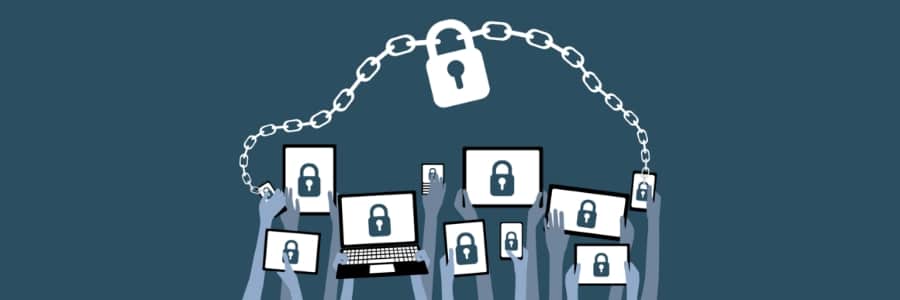
Bring your own device (BYOD) is a trend that has grown in popularity because of the convenience it offers employees, but it also presents a serious security risk. If an employee’s personal device is not appropriately secured, it can become a potential entry point for attackers to gain access to sensitive corporate information. Therefore, it is imperative to take steps to strengthen BYOD security. Here’s how you can do just that. Establish a BYOD policy The first step in securing personal devices used for work is to establish a clear BYOD policy. This policy should include guidelines for acceptable use of personal devices and security protocols such as device encryption, password policies, and data backup requirements. It should also define the types of data that can be accessed on personal devices and the consequences of policy violations. Use mobile device management (MDM) software MDM software allows companies to manage mobile devices from a centralized console. It provides administrators with control over the configuration, application installation, and security settings of mobile devices. With MDM software, administrators can establish company-wide security policies as well as monitor and wipe data from compromised devices. Implement two-factor authentication (2FA) Two-factor authentication is a security process that requires users to provide two forms of identification to access company data. This typically includes a combination of passwords and one-time verification codes generated by a third-party authenticator app. By implementing 2FA, the security of a device doesn’t solely depend on the strength of its user’s passwords. Hackers will need to gain access to both authentication factors to hack company devices, which can be incredibly difficult. Conduct regular security training Educating employees on security best practices is crucial for any organization. Employees need to be aware of the risks associated with using personal devices for work-related tasks. Companies should conduct regular security training sessions to help employees understand their roles and responsibilities in maintaining the security of company data. Monitor and enforce compliance It’s essential to monitor the use of personal devices and ensure compliance with the company’s BYOD policy. This can be done through regular audits, periodic security assessments, and the use of security tools to detect unauthorized access attempts. Establishing a robust security framework for BYOD is essential for any organization. Companies can work with a managed service provider to ensure that their BYOD security measures are up to date and effective. Call us today and let us help you strengthen your BYOD security.
Does password autofill make hacking easier?

Password autofill is undeniably convenient, but do you know the dangers of using this common browser feature? Here’s what you should be aware of when using it and how to secure yourself from potential cyberattacks through this feature. The risks of password autofill Password autofill is a convenient feature found in most browsers and password managers. This feature allows users to automatically fill out login credentials on websites and applications. While it may seem like a time-saver, it’s crucial to be cautious when utilizing this feature. Hackers can easily gain access to saved passwords and personal information stored in autofill, leaving users vulnerable to identity theft and other forms of cyberattacks. All they have to do is sneakily place an invisible form on a compromised webpage. When your browser or password manager automatically fills in your login details, then it’s game over for you and hackers win. Autofill also tracks users Did you know that the password autofill feature could be used to track your online activity? Irresponsible digital marketers can exploit this tool to keep tabs on your behavior. Similar to how hackers do it, they place hidden autofill forms on their websites and use them to collect your information without your consent, which they then sell to advertisers. While some may claim they’re not after your passwords, there’s still a chance that your sensitive data could be compromised. How to protect yourself When it comes to keeping your online accounts secure, you might want to turn off password autofill. This quick solution can help protect your personal information from prying eyes. Here’s how you can disable this feature on different browsers: Microsoft Edge: Go to Settings and click Profiles. From here, select Passwords and disable Offer to save passwords. Google Chrome: Head to the Settings window and select Autofill. Disable Offer to save passwords and Auto Sign-in. Firefox: Click Passwords from the browser’s menu. Click Options from the logins menu, which will lead you to the “Privacy & Security” panel. Under the “Logins and Passwords” section, uncheck Autofill logins and passwords. Safari: Open Preferences and select the “Auto-fill” tab to turn off any autofill options related to usernames and passwords. Being proactive and implementing more robust security strategies helps protect your personal data from malicious actors. Reach out to our cybersecurity experts for more information on staying safe online.