
Private browsing: How to stay safe online

Are you concerned that someone might come across your online search history? Do you want to go gift shopping without having anyone else find out? Or, maybe you’d like to watch videos on YouTube without having to manage the recommended videos once you log in again? If any of these scenarios sound familiar, then you should consider private browsing. What is private browsing? Private browsing is a privacy feature found in some web browsers. When enabled, a web browser creates a temporary session that is isolated from the main browser session and user data. When the session is closed, browsing history, web cache, and cookies are immediately cleared from the device, preventing others from seeing your online activities. While private and anonymous browsing are often thought to be the same, they’re actually two different things. Anonymous browsing masks your IP address and any other identifying information related to internet activity so that you can’t be traced. How to enable private browsing Enabling and disabling private browsing is simple, no matter which web browser you choose to use. Just follow these simple steps. Google Chrome Open the Google Chrome browser. Click on the three dots in the browser’s upper-right corner and choose New Incognito window. You can also use the keyboard shortcut CTRL + Shift + N in Windows and Command + Shift + N on a Mac to open a new incognito window. Google Chrome Mobile Open Google Chrome. Tap the three dots in the upper-right corner of the screen and choose New Incognito window. Firefox Open Firefox. Click on the three horizontal lines (hamburger menu) in the browser’s upper-right corner and select New Private Window. You can also open a new private window by using the keyboard shortcuts CTRL + Shift + P on Windows and Command + Shift + P on a Mac. Firefox on Android Open Firefox. Tap the eye mask icon in the upper-right corner of the screen. Safari Open Safari. Go to File > New Private Window. Safari on iPad or iPhone Open Safari. In the bottom-right corner of the screen, tap the Tabs icon > (number) Tab > Private > Done. Microsoft Edge Open Microsoft Edge. Click on the three dots in the upper-right part of the browser and select New InPrivate window. Alternatively, you can open an InPrivate window using the keyboard shortcut CTRL + Shift + P. Microsoft Edge on mobile Open Microsoft Edge. Tap the three dots an the bottom of the screen and choose InPrivate. You can tap on an existing InPrivate window to continue your session, or tap the + button to open a new window. If you want to learn more about protecting your online activities, give our experts a call today.
The importance of identity and access management in protecting your business

No matter how well you protect your business from cyberattacks, there is always a risk that someone will find a way to break in. That’s why it’s essential to have a comprehensive security plan that includes a cutting-edge identity and access management (IAM) solution. In this blog, we will discuss the importance of IAM in protecting your business from cyberattacks. IAM: An overview IAM is a system that provides unified control within an organization over the digital identity of users. By utilizing IAM, organizations can ensure access to resources is limited only to those who are authorized. This helps mitigate the risk of unauthorized access and misuse of a company’s resources. Additionally, IAM helps secure the onboarding and offboarding processes, as well as processes related to role or position changes within the organization. The goal of IAM is to protect data integrity while creating an efficient user experience. Benefits of IAM to your business Aside from providing additional layers of security, here are other benefits your business can enjoy when you use a reliable IAM solution: Centralized access control To ensure security, productivity, and user satisfaction all at once, IAM is the answer. Through an IAM system, you can establish centralized policies based on each user’s role and attributes. This lets your organization enjoy access privileges that are just right — not too little nor too much. For example, with just a few clicks of a button, IAM enables you to control exactly who in your organization has access to financial systems or who can manage data and resources. Reduced data breach incidents To ensure maximum security for digital assets, an IAM solution can include single sign-on (SSO) and multifactor authentication (MFA). SSO allows authorized users to access multiple applications under the same login details securely. Meanwhile, MFA requires additional user verification beyond passwords such as facial recognition or fingerprint scans, or a one-time SMS verification code. With SSO and MFA, your employees will no longer have to remember multiple passwords. Instead, they’ll be able to prove their identity using evidence-based authorization such as answering a personal question that only they would know. IAM also comes equipped with advanced encryption tools to protect sensitive data, reducing the risk of compromised user credentials. Enhanced user experience for customers The security of a robust IAM system offers peace of mind for customers by safeguarding their data against unauthorized access. This, in turn, helps to create trust between the business and its customers, improving the overall user experience. In addition, a well-maintained IAM system can help to streamline authentication and authorization processes, reducing waiting times and improving convenience for users. Furthermore, with an IAM system, businesses are able to gather contextual information related to their customers through login sessions. This allows them to gain valuable insights into user behavior and provide more tailored services that offer a better experience. Security compliance Aside from providing secure access to digital assets, a robust IAM system can help you monitor user activity over both physical and networked systems, instantly alerting businesses of potential security threats and allowing them to quickly respond accordingly. By having an IAM system in place, you can rest assured that your organization is able to remain compliant with the regulations you are subject to and protect your business against data loss or breaches. Cost savings A trusted IAM system can provide substantial savings to businesses both in terms of time and money. By having a centralized system for managing user roles and authentication, businesses can reduce the risk of human error that may lead to security breaches. This ensures that organizations can avoid costly legal liabilities. Having an IAM system in place also makes identifying cost-saving opportunities much easier. An IAM solution does this by allowing companies to streamline systems that may no longer be necessary or available while further reducing tedious tasks associated with onboarding new employees or resetting passwords. Lastly, by investing in an efficient IAM solution, businesses can free up resources that would otherwise be spent on time-consuming security tasks, enabling your IT team to focus on more important tasks. By understanding the basics of IAM and how it can work for your company, you can take steps to ensure that your data and systems are secure. If you’re looking for help implementing IAM or other security solutions, we would be happy to assist you. Get in touch with us today to learn more about what we can do to protect your business.
Don’t overlook your business printers’ security

The security of business printers is often overlooked by small- and medium-sized businesses (SMBs). This can prove to be a big mistake because printers can be just as vulnerable to cyberattacks as other devices. Follow these security tips if you want to protect your business printers from cyberattacks. Vulnerabilities of business printers Printers are considered indispensable business tools, but their core functions can make them irresistible targets for cybercriminals. These devices process a plethora of valuable data such as tax forms, employee information, financial statements, medical records, and the like. And did you know? Even if you cancel print jobs, these data are still stored within printer hard drives. Without proper security measures, valuable data can fall into the wrong hands. Organizations also need to take a closer look at their network printers since these are connected to the web. With the right tools and opportunities, hackers can easily intercept sensitive data traveling through open network ports. Printer vulnerabilities can open unknown backdoors that can give criminals an opportunity to launch far-reaching cyberattacks from within your network. Such attacks are difficult to stop once they’ve been launched. Ways to protect your business printers Keeping business printers secure should be an essential step when developing a comprehensive cybersecurity strategy. To ensure your print devices aren’t vulnerable to attacks, following these best practices will safeguard them from potential threats. Keep an eye on your network and make sure to install printer software updates and patches right away. Update printers with web management capabilities by modifying their default passwords and administrator login credentials. Only company-owned devices should be permitted to connect to your printing network. Always use secure connections and avoid accessing your printer through a public internet connection. Maximize your network security by using a firewall to limit printer access. For improved security and to prevent unauthorized access, activate the PIN/password feature of your wireless printer to ensure that only authorized users are able to print documents on your device. Disconnect the printer from its main network and turn off out-of-network printing if you don’t use it for faxing or email purposes. Protect classified data by connecting printers directly to computers or using a thumb drive. Use your printer’s manual feed settings. This feature allows you to feed paper into printers manually, making sure that printed materials don’t end up in the wrong hands or left lying around for anyone to see. Furthermore, working with an IT specialist can provide peace of mind when it comes to managing your printers. Trusted IT experts can make sure that any potential attack vectors are closed off while also helping you lower management costs and keep your devices at peak performance. If you have any questions about securing your business printers, don’t hesitate to contact us.
A simple way to improve your home Wi-Fi
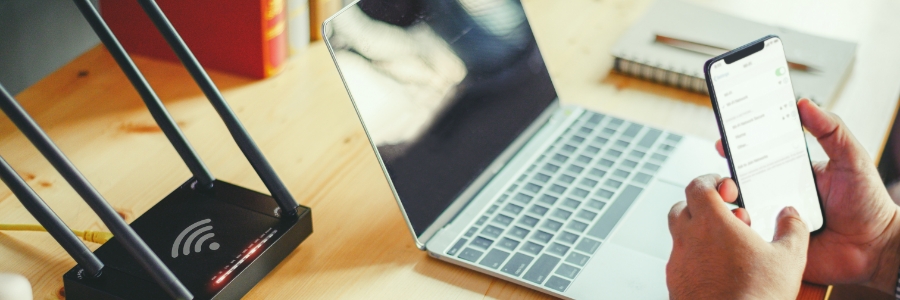
To facilitate communication and collaboration among remote workforce, fast and reliable home Wi-Fi connections are essential. If you are a remote worker and have exhausted all the home Wi-Fi boosting tips online, then perhaps it’s time to look into wireless repeaters and additional access points. What are wireless repeaters? A repeater is a device that takes an existing Wi-Fi signal and rebroadcasts it as a new network. This new network enables you to extend the limited reach that Wi-Fi routers have, reducing dead spots in your home, like floors far away from the router or areas behind thick walls or posts. What are access points? An access point device allows wireless devices to connect to a network. Most access points have built-in routers, but some need to be connected to a router. Access points are typically hardwired to network switches or modems. How to get started Start by conducting a survey of the Wi-Fi signal throughout your home so you can identify where you should install repeaters and access points to maximize your Wi-Fi connection. This involves: Determining the reach of your router by using a Wi-Fi analyzer app like Opensignal or NetSpot. Identifying spots that don’t receive a Wi-Fi signal in your house. You can usually solve this by relocating your router or modem to an area where the signal is better. Checking for obstructions that may be blocking your Wi-Fi connection like walls, furniture, plastics, or water, and sources of interference that hamper your signal strength, such as microwave ovens, baby monitors, or radios. Based on your survey, determine the best locations for the repeater and access point. For example, if your router is in the dining room and you can’t get a good signal in your living room down the hall, put the access point outside the dining room and the repeater in the living room. The signal will be extended by the access point and amplified by the repeater to nearby devices. Note that wireless repeaters must be placed in areas where the signal is poor, not in dead spots. How to set up wireless repeaters and access points Most wireless repeater and access point brands and models have the same setup process. Wireless repeater To set up a wireless repeater, follow these steps: Choose an area that does not have obstructions that can block signals from your Wi-Fi router. Plug the repeater into a power outlet. You can opt to connect the repeater directly to a computer using an Ethernet cable or connect the computer to the repeater’s wireless network. On your computer, open a new browser window. Type your Wi-Fi network’s password in the address bar. Follow any other steps to setting up your wireless repeater included in the manufacturer’s instructions. Access point Follow these steps when setting up an access point: Select a location that is free of anything that can block signals from your Wi-Fi router. Turn off your router or modem and computer. Using an Ethernet cable, connect your access point to your router or modem and your computer. Turn on your router or modem, and plug the access point into a power outlet. Then, turn on your computer. Follow any other steps to setting up your access point included in the manufacturer’s instructions. Connect your router using the IP address provided in the manual, or either 192.168.0.1 or 192.168.1.1, to make changes to your router’s settings. Need help setting up or getting the most out of your wireless network? Our IT experts are ready to help. Get in touch with us today.
Drive your business forward with these VoIP services

More and more companies are making the switch to Voice over Internet Protocol (VoIP) from traditional landlines due to VoIP’s cost-efficiency, cutting-edge call features, and remote work capabilities. However, understanding the various VoIP services and choosing the right one for your company can be overwhelming. In this blog post, we’ll provide you with the information you need to choose the right type of VoIP service for your business. Business services Business VoIP services are significantly more cost-effective than traditional phone lines. They offer several handy features, such as audio and video conferencing, screen sharing, interactive voice response, automated attendants, call queues, and comprehensive call reports. You even gain access to full tech support when you sign up for business VoIP services. VoIP for business can either be on-premises or cloud-based. Businesses that choose on-premises VoIP need to set aside substantial capital to purchase the required equipment, not to mention regular fees associated with maintenance, repairs, and upgrades. The upside is business owners will have complete control of all on-premises equipment. Alternatively, if you decide to utilize cloud-based VoIP systems, they will be managed and maintained by a third-party service provider. This not only reduces the need for expensive hardware but also eliminates the cost of having an in-house team managing and maintaining these complex systems. With one fixed monthly fee, all tasks are taken care of with exceptional efficiency. Software-based services Software-based is the most common type of VoIP service that many businesses and individuals use every day. To use this service, you can either access a web application or install an app on your computer. You can then use your computer’s audio/video input and output devices to make or receive calls. Notable examples of software-based VoIP services are Viber and Cloudtalk. Mobile services Mobile VoIP requires an app to be installed on your smartphone or mobile device. The app lets you make and receive calls from anywhere with a stable internet connection. If you are considering investing in a mobile VoIP service, some of your top options would be Skype, WhatsApp, and Google Meet. Want to learn more about VoIP? Our professionals have an in-depth understanding of this cost-effective and efficient communication technology, so contact us today.
Explaining Microsoft 365 Groups Connectors
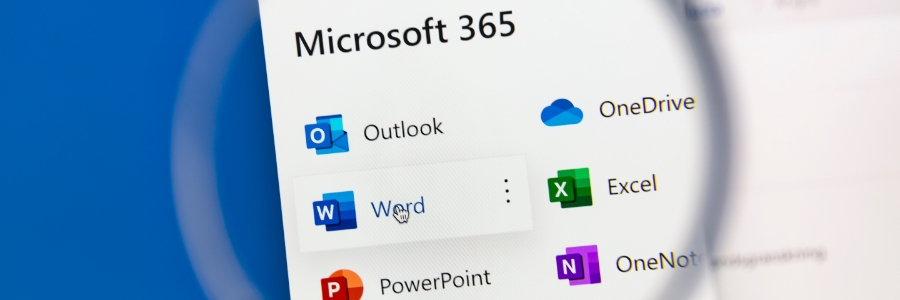
Microsoft 365 Groups connectors allow users to send messages and files to anyone in the group, regardless of whether they are using Outlook, SharePoint, or Yammer. This makes it easy for team members to collaborate and share resources seamlessly. In this blog post, we will discuss the benefits of using Microsoft 365 Groups connectors and how they can improve your team’s collaboration. How Microsoft 365 connectors function Microsoft 365 Groups connectors help businesses easily link different applications and services with their Microsoft Groups feed. This enables users to access information from external sources such as Twitter, Trello, and Slack without switching between tabs in their web browsers. To illustrate, right within Outlook, connector cards enable you to see and interact with your team’s Trello activities. Without leaving Outlook, you’d be able to quickly and easily input comments on a Trello event card and even assign new tasks. In addition, connectors provide notifications about events and changes via pop-up messages or emails. This leads to improved communication across the team. The connectors feature also allows users to customize the frequency of emails and updates, which will help them keep their Outlook inbox neat and organized. The powerful integration capabilities of Microsoft 365 Groups connectors make it easier than ever to keep everyone on the same page regardless of the system or platform being used. Configuring a connector Microsoft 365 lets users develop, configure, and share their own connectors across their organization. As soon as a connector is configured for the group, it will be accessible to other members. However, only the one who set up the particular connector can modify its settings. Connectors also enables businesses to embed a “Connect to Microsoft 365” button on sites. Users can use this button to connect with customized services. In essence, this turns your Microsoft 365 client into a centralized hub for third-party apps, allowing your team to connect and collaborate more easily. Accessing connectors Keep your Microsoft 365 Groups connected with essential services and apps by using connectors: Select a Group from your Outlook page. At the top of the page, click on the “Connectors” tab. Select the applications and services best suited for your group, then integrate them with any Outlook groups you have. The Groups app from Microsoft is just one example of how easy it is to integrate various software tools to improve workplace productivity. If you’re interested in learning about what Microsoft apps can do for your business, don’t hesitate to contact our team of IT experts today. We would be happy to discuss the many benefits of using Microsoft products and help you find the best solution for your needs.
Utilize AI to grow your eCommerce business

eCommerce is enjoying a period of unprecedented growth, and its continued development shows no signs of stopping, thanks to artificial intelligence (AI) technology. As eCommerce business owners increasingly embrace AI capabilities in 2023 and beyond, they’re going to need to learn more about how AI can benefit their bottom line. Personalized recommendations By leveraging the power of machine learning (ML), eCommerce companies can get to know their customers better than before. ML provides insights about customer habits and interests based on their activities on a business’s website, as well as on other websites, enabling businesses to gain an unprecedented level of understanding about what makes each customer tick. When properly configured, ML can be used to customize the online shopping experience and analyze the shopping behaviors of individual users. This allows e-tailers to provide tailored product recommendations, pairings, and promotions catered to each customer’s needs, resulting in a more enjoyable journey for customers and an increase in profits for business owners. Voice and image search capabilities Many eCommerce stores are now using voice and image search tools to make shopping easier, faster, and more convenient for consumers. This innovative development expands online searching capabilities beyond simple text input searches while making the retail experience — even on a mobile device — a breeze. To do a voice search, customers can simply click on or tap the microphone icon on an eCommerce site. Websites with AI voice recognition and natural language processing functionalities will identify what the user said and display all products relevant to their search query. On the other hand, to initiate a visual search, all a user has to do is upload a photo of the product they are looking for or one that looks similar to it. AI will then make suggestions based on the data from the uploaded image. Enhanced inventory and warehouse management AI-powered demand forecasting solutions help e-tailers keep better track of their inventory. These tools analyze sales trends and consumer behavior to anticipate changes or disruptions in supply levels. This, in turn, helps businesses ensure they don’t run out of items they need, nor overestimate their supplies on hand. Many eCommerce companies are also deploying AI robots in their warehouses. These handy machines can be programmed to expedite delivery processes, from product retrieval when an is placed to when the dispatch is complete. Thanks to these robotic helpers, a customer’s purchase arrives on time every time. Improved customer service Through AI chatbots, eCommerce businesses can provide customers with a more responsive and convenient customer experience. This technology empowers agents to tackle complex questions more efficiently while allowing the bots to handle basic inquiries like order status or product availability. This helps streamline service operations without sacrificing service quality. Get in touch with us today to learn more about AI and how it can foster your business’s growth. We’ll tell you how AI and other similarly innovative technologies can enhance your operations and help boost your profitability.
Don’t let a power outage cripple your business — invest in a UPS

Power outages are a huge inconvenience to businesses. They can lead to lost productivity and revenue, and they can cost you a lot in damages. That’s why it’s important for businesses like yours to invest in an uninterrupted power supply (UPS). Let’s take a closer look at some of the key reasons why every business should have a UPS system in place. Protect your network equipment A UPS is a device that acts as backup power in the event of a power outage. It offers protection to electronic devices, such as computers and servers, against power surges and other similar problems. Generally powered by batteries, a UPS acts like an emergency parachute that enables you to properly process the shutdown of necessary equipment and protect all crucial data on your computers and/or servers. With the help of UPS-supported modems or routers, you can stay connected for up to 90 minutes even if power goes out. That should provide plenty of time for you to get organized while waiting for power to be restored. It can also enable your team to remain productive and accomplish their tasks and cater to the immediate needs of your customers. Furthermore, with a UPS system in place, you won’t be dependent on cellular data, which is both expensive and unreliable, as an alternative. You can save money by avoiding extra expenses incurred from overdependence on mobile networks. UPS or generator: Which is better? Generators are essential for some businesses, but they come at a great cost. Not only would you need to purchase the generators themselves, but also employ an entire team dedicated to managing and maintaining them. This could be quite pricey and not feasible for small- or medium-sized organizations. Generators can be a helpful backup plan in case of extended power outages, but a proper UPS system should provide ample support to keep your business functioning during an emergency. What’s more, generators can prove to be a hazard, especially if they’re not operated correctly. In contrast, if you fail to manage your UPS unit properly or if it fails entirely, the worst that can happen is you lose a day’s worth of work. It’s better to be prepared Even if your business is not located in a disaster-prone region, you should still consider having UPS systems for your computers, modems, and routers. Having a UPS system in place will give you peace of mind knowing that it will keep your equipment operating when the unexpected occurs and that your business will be protected from data and revenue loss. There is no doubt that a power outage can cause significant disruptions to your business operations, but you can minimize disruption with a UPS. If you’re not sure what type of UPS system is right for your business, contact us and we’ll be happy to help you find a solution that meets your needs.
Cybersecurity trends that will shape the future of business

Businesses of all sizes can fall prey to cyberattacks that can cause major financial losses and even put companies out of business. And with more numerous and sophisticated threats like these expected in 2023, it’s more critical than ever for business owners to stay ahead of the latest cybersecurity trends and protect their organization from potential threats. Pay attention to the following trends to help keep your data safe this year and beyond. Further emphasis on data privacy As countries implement tougher data protection laws and the number of privacy regulations rises, organizations will be driven to adopt a privacy-first mentality out of necessity. For instance, Google has already taken a big leap in this direction by ending its use of third-party cookies and creating Privacy Sandbox. Apple has also included App Tracking Transparency as part of iOS 14.5 onwards, providing another layer of protection for their customers’ sensitive online information. Although these measures may not be flawless solutions yet, they’re still progressive strides being made toward greater security. Expect other companies to follow suit. A harmonized global framework to govern the protection of information, privacy, and data In 2023, countries around the world will strive for international cohesion regarding data privacy regulations. Standardizing security frameworks is expected to deliver better information and data privacy for all organizations and governments, as well as enable global commerce. Consistent data protection strategies and processes reduce risk while facilitating trust across supply chains and borders. Interoperable architectures that prioritize privacy and security can also help ensure the effective protection of information, which ultimately reduces the probability of a data breach or compromise. A passwordless future Passwordless security frameworks provide a real chance at fighting phishing while enhancing protection, privacy, scalability, and convenience. They not only improve overall organizational security by eliminating potential password breaches or credential stuffing attacks, but they also enable users to access services without worrying about forgotten usernames or passwords. However, note that while passwordless authentication offers many advantages, it isn’t without risk. To ensure better security, you should also adopt a zero trust model along with identity access management practices and stringent safety measures. This will make the transition to passwordless authentication much smoother and more secure. Growing Internet of Things (IoT) risks Over the past decade, the IoT industry has been on a steady upswing, and is projected to remain so well into 2023. Unfortunately, as companies rely more heavily on this technology for efficiency and profitability, they will face a higher risk of cybersecurity breaches. If you use IoT, then you should safeguard your connected devices by actively developing or revising relevant cyber strategies, maintaining device catalogs, and continuously patching endpoints. This will help secure your networks from potential threats and allow for more efficient monitoring practices. The future of cybersecurity is ever-evolving. But by learning about the latest cybersecurity trends, companies can implement comprehensive approaches and protect themselves against malicious actors or incidents. If you want to learn more about 2023 cybersecurity trends or if you have any questions about technology, don’t hesitate to get in touch with us. Our IT experts are ready to help.
Your guide to reducing your Android’s data consumption

In recent years, mobile data consumption has soared. Today’s apps require extensive data resources and continually ask users to update them with newer versions. However, relying heavily on your mobile data can quickly deplete your monthly allocation. Without an unlimited plan, this could lead to unwanted extra charges. If you’re looking for simple and cost-effective ways to reduce your data usage, here are some useful tips that can help. Monitor your apps’ data usage To effectively reduce data consumption on your Android device, it is essential to identify the source of the issue. A great first step in this process is reviewing your current data usage. If you’re running an older version of Android, go to Settings > Network & Internet > SIM card & mobile network > Data usage to see your current data usage. For newer Android versions all the way up to 2021’s Android 12, go to Settings > Network & Internet > Mobile network > App data usage. Carefully examine the details and identify data-hungry apps on your device. Social media apps and streaming services are likely the ones that are consuming too much mobile data. Disable background data usage Apps such as Facebook, Skype, and other similar services tend to continually keep in touch with their parent servers to refresh data at regular intervals. Even if you aren’t actively using these apps, they continue to run in the background and can use a huge amount of data. You can easily prevent these apps from draining your cellular data by disabling background data use. Here are the steps to do it. Go to Settings > Apps. Select the appropriate app from the displayed list. Under App info, go to Mobile data and deactivate the Background data option. Use Wi-Fi By regularly connecting to Wi-Fi networks, you can reduce your use of costly cellular data. To make sure you’re connected to your Wi-Fi network, go to Settings > Network & internet and turn on the Wi-Fi option. If you’re outside and want to connect to a public Wi-Fi network, make sure you’re using a virtual private network. This prevents hackers from spying on your online activities. Limit the use of streaming apps When using your device’s mobile data, it’s best to avoid streaming music and videos. Instead, opt for storing them locally or downloading them when you are connected to Wi-Fi to minimize data consumption. For more Android tips and tricks, give our experts a call today.