
SMBs on Facebook: 6 tips

Facebook’s most recent monthly active users numbered over 1.7 billion. Billion, with a ‘b.’ Since creating and managing a page for your business is free, there simply isn’t an excuse to put off doing so another day. Whether your page is being neglected because of low traffic or ROI on the time you invest in it, 1.7 billion is too large a number to ignore. Here are our six tricks for making your page a worthwhile endeavor. Use video whenever possible Recently, Mr. Zuckerberg himself was caught opining about the value of video in social media. And while there hasn’t yet been any news about newsfeed algorithms giving preference to video, it’s definitely a safe bet when compared to texts and graphics. Facebook Live is an excellent way to engage your subscribers, and there are several ways to leverage it for increased profitability. Whether it’s an Ask Me Anything segment or a promotional announcement, hit that record button more often for more engagement. Facebook only promos While we’re on the topic of promotions, make sure you’re creating some that are only available through Facebook. If you’re simply reposting those from your website or e-commerce store, it’s harder for followers to justify maintaining any interest in your page. Use Facebook Live or a pre-recorded video to introduce a better-than-usual discount on your products or services. The key here is getting customers to actually visit your page, so make sure it’s not a coupon code or a link they can just pass on to friends. Ask the first 100 viewers to post their email address in the comments section of the video. If their increased dwelling time doesn’t make a lasting impression on them, it probably will make an impression on their Facebook newsfeed algorithm. Facebook CTAs: use them and update them Unbeknownst to most, the ‘call to action’ button on your business page can be edited to display more than a dozen different messages. Experiment with the different messages and where they link to. You’ve probably stared at the CTAs on your .com page for hours, hoping to come up with a hard-hitting sell — why wouldn’t you do the same on Facebook? Don’t just link to yourself The most insightful page will always be the most valuable one. If someone has already liked your page, they know you exist and they have a decent idea of what you sell. Make sure to take a break from posting links to your site, and include relevant news and information that relates to your field. If your merchandise is videogames, inventory updates aren’t going to provide much value to your followers. Post third-party reviews of items you stock or industry news that readers will find interesting. Pin to top function When you find the post that keeps followers coming back for more, why bury it beneath more recent and less popular posts? Click the arrow in the upper-right corner of the post and select Pin to Top. This will keep it above everything else and impossible to miss for anyone visiting your page. It could be anything we’ve already discussed in this article: promotions, videos, popular third-party content — anything timely and relevant. Be personal Lastly, use your company’s Facebook page as a place where followers can engage you on a personal level. There are countless opportunities for stiff, formal business language and attitudes, but social media isn’t the place for that. Post fun, behind-the-scenes photos of your business, respond to comments in a conversational tone, make jokes — anything that sets your page apart from your customer service accounts. Facebook may be free, but that doesn’t mean a profitable page is a walk in the park. For all the latest tips, trends, and features, you’ll need an expert. Exploiting social media for your bottom line is a slippery game, but it’s one we play every day. For a partner who can turn your ‘Likes’ into dollars, contact us today. Published with permission from TechAdvisory.org. Source.
Make plans with Office 365’s Bookings

The latest addition to the Office 365 family is Bookings. This online service helps schedule appointments with businesses using software. Good ‘ol pen and paper definitely still work, but given the world’s technological advances, digital appointment management makes sense. Besides never having to pick up the phone to schedule your events ever again, here are four other reasons why you should check out Bookings: Visibility Bid adieu to the days of scribbling on post-its and frantically going through your schedule to find out where you’re heading for lunch. Microsoft Bookings provides you with a unique webpage that is compatible on both desktops and mobile devices. Here, customers can select times and dates based on current availability — simply enter contact information and then book it! The system fully automates the process of managing your appointments. No more rain checks Microsoft believes that “Businesses can avoid last-minute cancellations by controlling how much advanced notice is required to make a cancellation.” That’s why immediately after making the appointment, a confirmation email is sent to the customer along with a reminder email before the appointment time. The web page also offers a rescheduling service;simply click on the link on the confirmation email and pick a time that you’re more comfortable with. Synchronization Once completed, the booking is then synced to a centralized calendar where businesses are given the option to reschedule, cancel or re-assign the appointment to other staff members as they see fit. If you do decide to re-assign it to staff members, Bookings offers a nifty feature known as “split view.” This shows which staff members are booked at which times, and you can compare everyone’s schedules side-by-side. The appointments are synced not only to your calendar, but to the staff members’ calendars as well. Moreover, this versatile system accommodates Office 365, Outlook.com, and even Google Calendar, so users can keep whatever calendaring service they prefer Double duty Appointment-setting might be the primary goal of Bookings, but the system can also be utilized to build a company’s customer list. Once customers input their information into the system, it automatically creates contact entries for those customers. The contact card contains personal information such as name, address, phone number, and email addresses. As companies grow, they can add more staff members as well as create additional booking pages for free. Furthermore, staff members aren’t required to have Office 365 subscriptions to be a part of the service. Efficient tech resources aren’t enough to maintain a successful business anymore; in order to really stand out from competitors, comprehensive appointment management is required. Feel free to give us a call if you need any questions answered or issues addressed We’re more than happy to help. Published with permission from TechAdvisory.org. Source.
Set your ransomed files free, for free

In computers, as in war, encryption is a way of encoding sensitive information so only authorized parties can make use of it. Unfortunately, computer hackers have developed ways to infiltrate your company’s network and systems, take your confidential data hostage, and unlawfully encrypt it. Pay them a ransom and you may or may not get it back. The way in which these nefarious operators commandeer your information and deny you access usually involves some fairly sophisticated stuff. The ransomware they install on your system is essentially a virus that “locks up” your data, and it can’t be unlocked unless you pay them for the keys. Some of these data-encrypting viruses are strong, such as the CryptXXX strain. It has been infecting businesses for the past few months, and its latest mutation can’t be quelled by decryption programs found for free on the internet. Two relatively new types of ransomware aren’t quite as virulent as CryptXXX, but we’d like to bring you up-to-date on them nonetheless. Here’s a look at what they’re called, what they do, and how you can defeat them should your business be impacted. PowerWare The first of these recent ransomware varieties is called PowerWare, which also goes by the name PoshCoder. It imitates a more complex ransomware program called Locky, although with less effectiveness. This spring, PowerWare was discovered attacking healthcare organizations through Windows PowerShell, a scripting application used for systems administration. Fortunately, programmers at hi-tech security firm Palo Alto Researchers were able to quickly create a decryption tool named “powerware_decrypt.py” that unlocks ransomed data with relative ease. Implementing the fix, however, does call for a bit of technical know-how, so if your IT department is experienced in this area it shouldn’t be a problem. The code that can cure you from PowerWare is published online and is free. BART The second new ransomware breed that we should address is called BART. Instead of employing intricate information-encrypting algorithms to take command of your data, BART will stash away your files inside password-protected ZIP folders… and you have to pay for the password. These infections aren’t hard to identify as the imprisoned files will appear with “.bart.zip” added to their original name (for example, “spreadsheet.xlsx.bart.zip”). Thankfully, not only are they easy to detect, but for antivirus firm AVG, they are easy to decode. Applying the remedy that AVG has produced requires an unaffected copy of one of the files that’s been locked up. And if you can’t locate one somewhere on your network, a good IT services firm will be able to. The BART decryption tool is also available online at no cost. The fact is, there are some shady, technologically savvy characters out there who are willing to do us harm. Keeping them at bay takes vigilance. So if your business doesn’t have the resources to stay safe and secure from threats like ransomware – or, in the event that you’ve been hit, you’re not sure how to recover your data without paying the ransom – call us today to talk things over. Published with permission from TechAdvisory.org. Source.
5 reasons why you should switch to HaaS

Hardware-as-a-Service (HaaS) is not a new concept, it’s an old wine in a new bottle. Similar to Software-as-a-Service (SaaS), where you pay a monthly fee to a service provider in order to use a piece of software, HaaS lets you do the same and saves you from the nuisance of all the hardware upgrades, maintenance, and management. Here are 5 reasons why you should switch to a HaaS solution for hardware optimization. 1. Save money The first reason is simple: money. For SMBs, cash flow is a crucial matter. By shifting to HaaS you can say goodbye to the tedious and costly process of having to buy all the hardware outright. By paying a monthly fee to a Managed Services Providers (MSPs), you can turn a big capital investment into a small, manageable operational expense that leaves you money for other urgent matters. 2. Kiss out-of-date tech goodbye Given limited financial resource, it’s not easy for SMEs to catch up with the latest technology. In a highly competitive business arena, you cannot win the game with your century old CPU while your competitors benefit from the latest technology. By using HaaS, your MSP has a responsibility to ensure that all of your hardware is capable of handling tasks efficiently, and they will achieve that through hardware upgrades and replacements. 3. Better maintenance Buying new hardware isn’t the end of everything. Like most things in life, hardware needs to be taken care of. And most of the time, SMEs lack the proper expertise, knowledge, or even time to maintain it. HaaS solves this problem by letting your MSP do all the hardware management for you. 4. Better scalability for your business As time progresses, your organization grows and changes, which means the needs for IT equipment changes too. HaaS solutions allow you to scale up or down as your business needs change so you don’t have to stick with unnecessary tools you no longer use. 5. Improve security When it comes to security, software isn’t the only thing that needs to be up to date — your hardware does too. HaaS makes it easy to update to newer hardware, which is crucial to ensure adequate security. For instance, if you need a more powerful backup and recovery solution, your MSP will help you obtain new equipment as needed. Thinking about switching to Haas but not sure where to start? Why not contact us today? We provide a variety of HaaS solutions tailored to suit any business’s needs. Tell us your IT requirements and let’s see what we can do. Published with permission from TechAdvisory.org. Source.
8 hidden upgraded Firefox functions

Bouncing back from a short hiatus, Firefox returned with a bang by snatching the PCMag Editors’ Choice award for best browser. With a plethora of upgrades coupled with its nifty new layout, Firefox was poised for victory. While all browsers share some functional similarities — security and accessibility, for example — certain characteristics and functions make each one unique. Besides third-party extensions and add-ons, here are 8 hidden Firefox functions that may come in handy: Firefox Hello Introducing Firefox’s very own chat client complete with video chat functionalities. Access this bad boy by clicking on the smiley face on the top-right corner. Google Hangouts users should get the hang of it in no time — no software download necessary. Technically, you don’t even have to be on Firefox to use Hello; just be sure you’re on WebRTC-supported browsers like Chrome or Opera. Firefox’s secret interface Catering to the more tech-savvy users, Firefox’s secret interface gives you a peek behind the curtain into the world of coding. This helps you make adjustments to improve browser performance. Don’t have too much fun, though — exercise caution at all times! Customize your Control Panel Choose which items you want to see, and maybe even discover new ones you might have never known about! Decorate your control panel all you like! Click on the hamburger in the top-right corner and then click Customize at the bottom. Drag and drop desired items into the “Additional Tools and Features” window, and presto! Assess browser health Firefox’s Health Reports compiles data on user behavior and overall performance to provide you with comparisons and meaningful tips. Also, the aggregated data reveals various ways to improve your browsing experience. This personalized report consists of figures on browsing data, time spent browsing, crashes, as well as how long it takes to open a new tab (measured in milliseconds, of course). The master password ‘One can never be too safe’ is the mentality you should have every time you log on. Enter the master password. This acts like a key that unlocks all your vital passwords and information that could be detrimental if left exposed. Create your own by going to the Menu button > Options > Security tab. Then check the box next to “Use a master password” and follow the directions in the pop-up window. Customize your own shortcuts If Mozilla’s current shortcuts take too long to master, consider your problem solved. With the help of the Customizable Shortcuts extension, you have the luxury to design your very own shortcut sequences. No more confusion, no more time wasted. URL Auto-Complete To spare you the fuss of entering prefixes or suffixes, Firefox lets the new URL auto-complete feature do the work for you. For example, type in “wordpress” in the address bar followed by Ctrl + Enter (Mac: Command + Enter) and voila! Firefox fills in the www and the .com parts. Other variations include “Wordpress” followed by Control + Shift + Enter (Mac: Command + Shift + Enter) for .org sites. For any dot-net sites, you would type the URL followed by Shift + Enter. Firefox Share If you haven’t noticed the tiny paper plane icon in the top left corner, then say hello to the new Firefox share button. This enables you to share whatever you want to a multitude of social media accounts. Make sure you’re logged into the accounts you want to send to, and spread the word with a single click. Manage accounts by heading to the Add-ons manager > services. Improving browser usage is key to acquiring a competitive edge — a vital component to rising above the rest and achieving success. If you have any questions or are uncertain about any Firefox upgrades, feel free to give us a call. We are more than happy to help. Published with permission from TechAdvisory.org. Source.
5 tips for cashing in on tech trends

More money on less investment, that’s the dream, right? Well, counterintuitive as it may seem, flash-in-the-pan tech fads and trends may be just the way to achieve that. With the right tools, you can associate your SMB with popular new technologies without much investment. These are our five tips on how to cash in on things as silly and childish as Pokémon GO and as technical and trendy as the internet of things. Get in early One of the biggest indicators of how successful your SMB will be in making big gains off of a new trend is how early you get in. Fads, especially in the tech world, can come and go in no time. Be careful not to invest in resources with a long-term commitment like new logos or graphics, but instead in low-cost workarounds like special promotions and social media campaigns that put you front and center immediately. Once the popular kids have moved onto a fresh fixation, you’ll be ready to move forward without skipping a beat. Use existing tools How can you get up to speed quickly without investing too much in permanent resources? The trick is to hijack existing opportunities and strategies for your own message. For example, John Deere has been selling farming equipment for over 150 years, with no signs of slowing down. But with a creative combination of existing GPS technology and mobile devices, they quickly jumped to the forefront of the “Internet of Things” craze by connecting their vehicles to crop planning practices. Participate in the narrative So you’ve identified a trend you want to cash in on and you’ve commandeered existing tools to help sell your product. How else can you gain momentum? Social media is everywhere nowadays, and it doesn’t seem to be a dying trend. However, it’s no panacea; simply posting “We’ve got a promotion on all seasonal products #inserttechfadhere” won’t bring obsessed customers to your doorstep. Take a minute to understand the mechanics of what pulls everyone away from work, friends, and family, and show participants you’re one of them. Is it competitive? Polarizing? Take a stand or pick a team and invite customers who are “on your side” to get a discount. Merge the fad with your business model With a little creative brainstorming, most business models can actually integrate their product or service with a passing trend. Chatbots have been shoring up the “deep learning” revolution, and clothing retailers have come up with a really creative way to employ them to drive sales. By simply providing their chatbots with a fashion tree, the bots can ask basic questions which whittle down clothing recommendations to those that align with customers’ tastes. Address difficulties presented by the fad What if you can’t find a way for your products or services to directly interact with the blazing new trend? The next best thing is to provide solutions to problems presented by it. Does interacting with the popular app or activity eat up a lot of mobile device battery? Remind passersby your outlets are available for customers, or that you sell mobile battery packs. Does it require driving all over town? Remind customers of your latest car rental promotion. Sometimes just associating yourself with the trend is enough. Not sure how to integrate your business with the latest fads? We’re the experts on all things technology related, from the most recent to the ancient. As a small- to medium-sized business owner, getting the most value out of your technology investments is crucial to getting your foot in the door and working your way toward bigger profits. From machine learning to Pokémon GO, no question is too trivial — ask us today! Published with permission from TechAdvisory.org. Source.
Salesforce-Outlook add-on announced

According to Salesforce, an average sales rep spends more than 70 percent of their time each week in their email inbox. Despite this fact, email and customer relationship management (CRM) software has remained separate, forcing sales reps to toggle between them. Fortunately, we have some good news for small and medium-sized businesses: Salesforce will finally be integrated into Microsoft Outlook. Salesforce and Microsoft have been working together for more than two years, and it has definitely been a win-win situation for everyone. In the latest development between these two tech giants, they’ve released a brand new product that promises to make the lives of sales representatives much easier. Lightning for Outlook, a flashy new add-on allows your sales team to access customer relationship management (CRM) software right from their Microsoft Outlook inbox without switching back and forth between the two applications. The add-on accomplishes new levels of integration with Lightning Components, which allows for dragging and dropping of fields and elements from Salesforce directly into Outlook. For example, sales reps will be able to update a price quote with Salesforce’s SteelBrick — a Quote-to-Cash software — from within Outlook. This has been termed ‘snapping’. Just ‘snap’ the code you want to migrate into the appropriate Outlook account. One of the most exciting new features, called Lightning Sync, enables users to automatically sync contacts and calendars across Salesforce and Outlook. “When you update a contact in Outlook, it’s reflected in Salesforce and on your mobile device,” said Greg Gsell, Salesforce’s director of Sales Cloud. “All devices and teams are immediately kept up to date.” Both Lightning for Outlook and Lightning Sync are available now; the former is free for all Salesforce Cloud users, and the latter is free for users of Salesforce Cloud Lightning Enterprise Edition or higher. Lightning Components Framework — a UI framework for developing dynamic web apps, which gets integrated into Outlook, will be released later this year with pricing to be announced at a later date. However, this doesn’t mean Lightning for Outlook will solve everything. This plugin simply makes it easier for the two programs to work together. Still, there is a maze of security, database and account management issues to navigate through to make this new feature work properly. At [company_short], our experts are well-versed in email and CRM systems, so why not give us a call today and work smarter, not harder. Published with permission from TechAdvisory.org. Source.
Do you speak “Data”?

Quick, what’s the most important thing about your business’s precious data? Besides knowing how to back it up properly and protect it from catastrophic loss, how about understanding all the lingo used to describe it? The term “big data” – in reference to large, complex data sets – is a well-known buzzword these days, but a slew of new “data” terms are in style now, too. Data is the lifeblood of the information age. It gets observed, collected, organized, and analyzed, and it allows businesses to compete for profit and prosperity. And it takes many forms, each one unique and often vividly-named by the addition of a simple descriptive word. As such, we thought a short glossary was in order to help keep you current on a handful of new data buzzwords and how they might impact your business. Small Data If “big data” is about powerful machines, huge databases, and sophisticated analytics, its little brother “small data” is about people. Small data takes a scaled-down approach to data mining that relies on things like social media to acquire important information. Archiving it is also simpler since a complex central data warehouse isn’t necessary. Slow Data The notion of “slow data” may seem a bit counterintuitive since processing ones and zeroes means things are happening fast. Some information, however, is actually acquired more slowly. Take, for example, the polar ice caps, where things literally move at a glacial pace. Since this kind of data doesn’t require frequent analysis it is suitable for back-up in its native format in a secure data lake. Fast Data We’re guessing you knew this buzzword was coming next, and it’s probably exactly what you thought it would be. “Fast data” refers to data events that happen fast – as in thousands of times per second – such as financial tickers or electrical sensors. Being able to act on it without delay is critical, so storing it immediately in a stable, easy to access location is a must. Dark Data Put simply, “dark data” is nothing more than day-to-day operational data that’s not getting used. It often refers to unanalyzed information in the form of customer call records, competitors’ price fluctuations, or website visitor trends. It can also include data that’s no longer accessible, such as when a storage device becomes obsolete. Your business can bring some of this redundant, out-of-date, or hidden data into the light with software designed to tidy things up. Dirty Data And speaking of tidying, here we finally have “dirty data.” While not quite as provocative as, say, dirty dancing or a dirty martini, it does have a tendency to arouse anxiety. But it’s actually not harmful to your data warehouse; it merely refers to a data set prior to its being “cleaned,” such as a leads list that contains duplicates, spelling mistakes, or formatting errors. The key is ensuring it gets spruced up before moving it into production. If this index of buzzwords has left you wondering about the ways that different types of information affect your specific business, we’ve got answers. Setting up and managing your databases, super-secure backup strategies, and a thorough understanding of information technology are what we provide, so call or message us today. Published with permission from TechAdvisory.org. Source.
5 simple but manageable security measures

Don’t be put off by the tech jargon of security experts you find in forums and self-help books. A managed service provider is what you need to break down complex security ideas into easy-to-understand language. However, they generally focus on installing and managing protection software that’s often far too complicated to operate without their help. And when that’s the case, what can you do to improve the safety of your business and its data? Keep reading for 5 effective, down-to-earth cybersecurity measures that you not only need to know, but need to put into action 1. Two-Factor Authentication Did an attacker get your password? With two-factor authentication they’ll still need your mobile device to do any damage. Here’s how it works: every time you log into a service that requires a password, the service will send a code to your mobile device for another layer of authentication. Nowadays, most internet services have this option: Google, Facebook, Twitter, Instagram, Skype, Slack, etc. Check a full list here to see if you could be using two-factor authentication on any of your online accounts. 2. Password Manager Say goodbye to the bygone era of memorizing a long list of different passwords for the various websites and services you use. Password manager software may have been around for a long time, but it’s still a viable solution for improving your login integrity. After installing it, all you need to do is create one secure master password and let the software do the rest. It will store and encrypt all of your passwords in one place for future reference and help generate random, more secure passwords for any new logins. 3. Keep All Software Up to Date Update all of your software and your operating system as often as possible — it’s that simple. New versions come with better protection and fix any newly discovered loopholes. If you are too busy or can’t find the time to do it, check for an automatic update option. Any excuse for postponing updates will feel a lot less valid when it means a security breach or system crash. 4. Disable Flash Player Adobe Flash Player may be what allows you to play Candy Crush during your work breaks, but it has boasted such a poor security record that most experts recommend that users block the plugin entirely. Most internet browsers have the option to block Flash by default, while allowing you to enable blocked content you deem acceptable by simply right-clicking and selecting Run this Plugin. 5. HTTPS Everywhere When dealing with technology, long acronyms tend to scare off novice users before they even make it to step two. But don’t panic, there’s only one step to this trick. ‘HTTPS Everywhere’ is a browser extension that forces your browser to automatically navigate to sites using a secured encryption, if the site allows it. The thing is, a significant percentage of websites offer HTTPS connections but don’t present them as the default. When that’s the case, ‘HTTPS Everywhere’ gives your browser a gentle nudge in the right direction. While in-depth security measures need to be implemented and managed by experts, little steps like the ones listed here can be just as important. Check back often for more helpful cybersecurity tips, but if you have more urgent security needs for yourself and your business, our experts are ready and waiting to offer a helping hand — why not reach out to us today? Published with permission from TechAdvisory.org. Source.
Benefits of using dual monitors
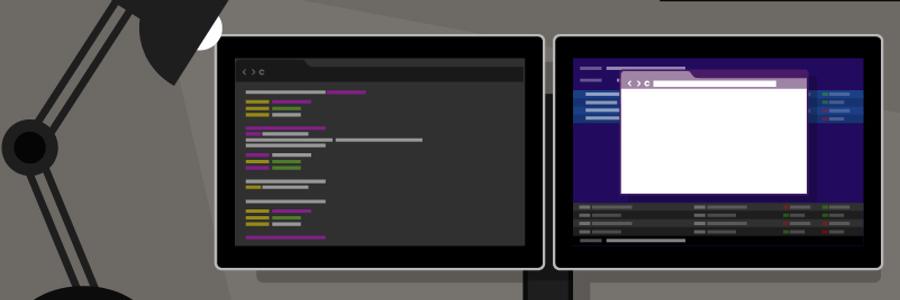
Have you ever witnessed your coworkers crazily straddle two computer monitors like madmen? Many find that working multiple monitors in this way is either intimidating or just plain weird. So it’s no surprise that such a set-up is unpopular. But even if you look like you’re preparing to launch rockets into outer space, that shouldn’t dissuade you from working with dual monitors altogether. Here are six reasons why working with two is better than one: Enhanced productivity Published studies conclude that by working with dual monitors, overall productivity increases by 20-50%. Computer programmers, for example, can use one screen for source coding and the other for programming; by using dual monitors, they no longer need to toggle back and forth between tabs. This reduces error and frees up time to complete more projects. Better multitasking Efficient multitasking requires adequate screen space to keep multiple applications simultaneously visible — a view that single monitors alone simply cannot accommodate. Workers who require computers, like customer service reps and web designers, would no longer waste time switching between tabs and resizing windows to fit the limited space; they could now focus on completing their tasks accurately and efficiently. . Easier cutting and pasting This reason resonates with jobs that call for creating newsletters or PowerPoint presentations. Dual monitors would eliminate the need for alternating between tabs and scrolling up and down as you work. Also, the enhanced visibility reduces chances of making mistakes and thus losing more time fixing them. Image and video editing With dual monitors, the days of stacking numerous editing tools on top of the image or video you’re working on are long gone. Instead of your screen looking like a game of Mahjong, you can put the editing tools on one screen and leave the image on the other. With better visibility, you’re less likely to commit errors and more likely to be finessed, and you’re not sacrificing valuable working time in the process. Product comparison You want to buy a camera, and you have two models in mind. It’s time to make a decision, so you have to compare their specs. If you had only one monitor, you’d need to go back and forth from one tab to another. But if you had two monitors, you could view the models side-by-side to help you clearly see their differences and make an informed purchase. New gaming experience Working hard means you get to play hard — what’s better than a gaming session? The answer is a relaxing gaming session on dual monitors! With more screen space, you can see enemies from afar, anticipate their actions, plan your retaliation, and attack! Dual monitors benefits almost every industry because of the enhanced visibility, larger screen space, and how you can briefly nap behind them without getting caught Using dual monitors can enhance even your leisure time activities as well. Broaden your horizons by getting in touch with us. We’ll answer any questions you have. Published with permission from TechAdvisory.org. Source.