
Reset your Dropbox password

Remember in 2012 when Dropbox’s data, which contained details of around two-thirds of its customers, were leaked? At the time, Dropbox reported that a collection of users’ email addresses had been stolen, but it wasn’t until recently that the company discovered that passwords had been stolen as well. So what does this mean for Dropbox users? Despite the unfortunate incident, Dropbox has implemented a thorough threat-monitoring analysis and investigation, and has found no indication that user accounts were improperly accessed. However, this doesn’t mean you’re 100 percent in the clear. What you need to do As a precaution, Dropbox has emailed all users believed to have been affected by the security breach, and completed a password-reset for them. This ensures that even if these passwords had been cracked, they couldn’t be used to access Dropbox accounts. However, if you signed up for the platform prior to mid-2012 and haven’t updated your password since, you’ll be prompted to do so the next time you sign in. All you have to do is choose a new password that meets Dropbox’s minimum security requirements, a task assisted by their “strength meter.” The company also recommends using its two-step authentication feature when you reset your password. Apart from that, if you used your Dropbox password on other sites before mid-2012 — whether for Facebook, YouTube or any other online platform — you should change your password on those services as well. Since most of us reuse passwords, the first thing any hacker does after acquiring stolen passwords is try them on the most popular account-based sites. Dropbox’s ongoing security practices Dropbox’s security team is working to improve its monitoring process for compromises, abuses, and suspicious activities. It has also implemented a broad set of controls, including independent security audits and certifications, threat intelligence, and bug bounties for white hat hackers. Bug bounties is a program whereby Dropbox provides monetary rewards, from $216 up to $10,000, to people who report vulnerabilities before malicious hackers can exploit them. Not only that, but the company has also built open-source tools such as zxcvbn, a password strength estimator, and bcrypt, a password hashing function to ensure that a similar breach doesn’t happen again. To learn more about keeping your online accounts secure, or about how you can protect your business from today’s increasing cyber threats, give us a call and we’ll be happy to help. Published with permission from TechAdvisory.org. Source.
Considerations when buying a new projector

Love them or hate them, projectors are the modern day soapbox. They give you the platform to present your case to a wider audience without compromising your content. Like most hardware purchases, however, they’re accompanied by a list of measurements and specifications you likely have little experience with. If you’re in the market for some new projection hardware at your business, take a minute to brush up on the essentials here. Brightness If you haven’t had any hands-on experience with projectors yet, brightness will undoubtedly be the first thing you notice. Although no projector will ever match the brightness of an LED or LCD television, with some informed shopping you can easily mitigate this unfortunate drawback. A ‘lumen’ is a measure of brightness listed under the specifications of any new projector. Anything over 2,000 lumens should be appropriate for small-group presentations in a low-light room. For larger meetings with more ambient light, 3,000 lumens should be able to negate any added burdens. No need to go any higher than that unless you expect to host more than 100 viewers and let a little light into the room. Resolution While brightness may be the first thing you notice, resolution is probably the first thing you think of. Before deciding on a resolution, give some honest consideration to how essential it is for the projector’s intended use. If the plan is to set it up in the conference room for Excel budget presentations, WXGA (or 1280×800) should be plenty clear. This resolution is the most widely compatible with the dimensions of modern laptop screens and will making swapping the content source a piece of cake. However, if you have an existing projector and/or screen, you may want to stick with your existing XGA (or 1024×768) resolution. Of course, there is always the option for the gold standard. Whether it’s an overinflated budget or true necessity, HD (1920×1080) will provide you with the best possible resolution for your projections. Portability Behind their bolted-in conference room companions, portable projectors are some of the most popular for business professionals. In addition to brightness and resolution comparisons, make sure to examine how valuable portability is to you. Increased portability often brings a significant reduction in image quality and may not ultimately be worth it. If you’re forging ahead with a mobile option, some of which are small enough to comfortably fit inside your pocket, make sure whatever you choose has the ability to read data from a USB or SD storage device. There’s no reason to buy a model compact enough to leave the backpack at home unless you’re utilizing all its added bonuses. This means you might have the option to purchase a mini-projector with a battery integrated into the device; just remember that it’s unlikely you’ll have the picture quality or features to truly enjoy video and multimedia presentations. Extra Features What would any piece of hardware be without a few cool extra features? Top of the line projectors have a myriad of specialized add-ons that might be just what you need to make your final decision. We’ve already talked about USB and SD storage, but what about an iPhone or Android dock incorporated directly into the unit? And if that doesn’t tickle your fancy, cut the cords entirely with wireless-enabled projectors. Regardless of whether it’s one of these options, or something like internal storage capacity, always thoroughly test any special features before letting them factor into your final choice. There’s nothing worse than basing a decision on a total misnomer. Our customers often forget to utilize one of our most useful service options: hardware consulting. If you’re ever in the market for new equipment at your organization, or need advice on how to get the most of what you currently have, don’t hesitate to ask. We’re an office full of gadget geeks who love the opportunity to talk about the latest and greatest the industry has to offer. Contact us today! Published with permission from TechAdvisory.org. Source.
Fans of Dropbox can collaborate with Paper

The only documents not worth the paper they’re printed on are the ones that never receive a second pair of eyes. At least, that’s how we’re interpreting the release Dropbox’s newest document collaboration service. Long a bastion of cloud storage, the company is broadening its offerings with a new online workspace called ‘Paper.’ Does it have the functionalities to compete with the likes of Google Docs and Office 365? Let’s find out. First announced one year ago, Paper promised to be an elegant and straightforward tool that focuses on the minute details. The average user hasn’t had much to go on since then as Dropbox kept everything under the shroud of a closed beta, but that’s no longer the case. With the release of iOS and Android apps, the mobile and desktop versions of Paper are moving into the open beta stage. What sets Dropbox’s service apart is how it liberates users from the constraints of document file types. Whereas other services force you to classify what you’re making, Paper is a completely blank canvas that provides the tools to create a document outside the boundaries of presentations, memos, and spreadsheets. Think of it more along the lines of creating a website, with photos, text, video and even HTML code all working together through an intuitive snap-in user interface. In addition to fundamentally shifting how we think about document creation, those at Dropbox want us to take a closer look at how we collaborate with each other. Live chats, comments and document notifications bring a depth of communication that Paper’s competitors would be hard- pressed to match. And although they’ve been kept intentionally clean and toned down, all these features are now available as push notifications for mobile devices in an attempt to keep everyone in the loop, 24/7. Ultimately, what makes Paper a worthwhile consideration is its overarching philosophy and goals. Dropbox doesn’t want a segmented platform where teams need to jump between different windows and services; they want to create a virtual meeting room with a fully functional whiteboard where everyone can create, store, and collaborate on documents simultaneously. It’s easy to get lost in the echo-chamber of big-name technology solutions. Professional advisors recommend the services and solutions they know customers will recognize and trust, while end users just don’t have the time to research all the available options. Fortunately for you, we believe being on the cutting edge of new technology means thinking outside the box and acting as the authority on oft-neglected third options. When you’re in the market for a new IT solution, call us — the team with more suggestions than the first two hits on Google. Published with permission from TechAdvisory.org. Source.
Twitter’s new dashboard app for SMBs

Fishes are known to travel together in schools. They do so as a defense mechanism against predators or as a means to find a mate. Rarely do we see a fish making its way through the ocean unaccompanied. Schools of fish are the Twitter equivalent of celebrities or public figures, whereby lone guppies are SMBs struggling to make a splash in terms of their online presence. Allow Twitter’s latest stand-alone dashboard app to lend your business a helping hand. According to Noah Pepper, Twitter’s product and engineering manager, “For businesses, Twitter is a place to share news, tell stories, and have conversations that support, educate, and delight their customers.” On top of that, he states that “It’s a place for authentic interactions – but we know that creating these kinds of connections isn’t always easy for businesses that are time and resource-constrained.” Because of this, Twitter has developed a brand new application that helps lighten your social media load — enter Twitter Dashboard. Twitter Dashboard specifically caters toward small- to medium-sized businesses, helping them to establish a fast, efficient and affordable means to manage their online presence. It helps you easily track and engage with audiences. The free app is still in the beta phase but is available to all businesses in the United States via iOS devices. There’s also a desktop web version as well. With the help of Twitter Dashboard, social media managers can schedule tweets and set up customized feeds with the sole purpose of tracking what’s being said about a particular business. There are tools in the app that aids in tracking keywords as well as brainstorming ideas for potential tweets. Here are some examples from Noah Pepper: Say you work at a restaurant. You can come up with something like, “Your team is as unique as your business. Tweet a surprising fact about one of your team members.” This helps remind you to share some of the recent recognition your chef has received. Or if you are an interior designer, when you see the tweet “Share the love. Like and Retweet kind words from your customers,” you’re prompted you to Retweet the next customer’s reaction to one of your projects. Twitter Dashboard may not be of much use to savvy online marketers, but for those who have just dipped their toes into social media, it might help build the confidence needed to take flight. And this is exactly what Twitter needs if it’s aiming to increase overall platform engagement. Small- and medium-sized businesses should seize every opportunity they can to grow. Leverage the power of social media and see your company spread its wings and fly, soaring amidst the chirp of the blue birds tweeting. For further questions about Twitter Dashboard, feel free to give us a call, follow us, tweet us or give us a direct message — we’re always ready to help. Published with permission from TechAdvisory.org. Source.
Best CRM Software Options for 2016

If genie lamps were out of stock before you could place an order for one, the next best thing to manage and grow your small- and medium-sized business lies in CRM. Short for customer relationship management, a real difference is possible, with the right software of course. With the numerous options out there, finding the most suitable one is like walking into a maze without a flashlight or GPS. We spared you the trouble and rounded up the best CRM software options for 2016: Since every business differs in terms of size, there is no one-size-fits-all when it comes to CRM. Thus, varying corporate sizes require unique CRM software that best addresses requirements. We’ll be taking a look at ideal CRM software options for the following categories: businesses in general, very small businesses and ones that are free. Best CRM Software for Small Businesses: Salesforce Salesforce has long been considered one of the top-tier CRM solutions, mainly due to its cloud-based nature coupled with full-featured capabilities that cater to businesses of every size. Typically, Salesforce is synonymous with larger enterprises, but that doesn’t mean small- and medium-sized businesses are denied the same perks. Enter Salesforce’s small business edition: with it, SMBs can utilize the robust set of CRM tools at an affordable rate. Salesforce Small Business Solutions offer packages that are tailor-made for small businesses. With it you’ll be able to fully utilize all that Salesforce has to offer. In order for your company to really thrive, your CRM should be equipped with features such as lead generation, contact and opportunity management, sales forecasting, workflow automation as well as collaborative tools — all of which can be found in Salesforce. Also, the software is cloud-based, meaning that you can access data and files anywhere at anytime via mobile devices. Best CRM Software for Very Small Businesses: Insightly Underneath its simple and navigable facade lies a CRM software that is abundant with capabilities, all of which fit the bill for microbusinesses. Aside from the fact that it has the vital components small businesses really look for in CRM software, it’s also highly scalable to accommodate the growth of your company. Furthermore, Insightly is currently one of the more affordable CRM solutions on the market; there’s even a free version if you wish to test the waters. There are also paid plans available at a fraction of the price when compared with other CRM software solutions. Even with the free version or paid plans that start at $12, Insightly doesn’t compromise utility with affordability. It comes equipped with all the vital CRM capabilities any microbusiness would need. This includes detailed sales reports, opportunity, contact and project management as well. It’s also scalable to meet the needs of your business as it grows. To top it all off, it’s a cloud-based CRM software allowing you to access data anywhere at anytime via Internet-enabled mobile devices. Best Free CRM Software: Zoho CRM Not having to pay for Zoho doesn’t necessarily mean it won’t deliver the necessary capabilities required from CRM software. Zoho CRM provides your business with all the core functions it needs. Moreover, it allows you to onboard up ten users for free. Courtesy of Zoho CRM’s mobile app, you’ll be able be access data regardless of time or location. Here are some of the other features that the free version of Zoho CRM has to offer: 360-view – all the vital information is stored and displayed, allowing you to make the best business decisions. This includes contacts, sale cycles, pipelines, and discover trends. It also helps you identify opportunities. Automation – spend less time dealing with mundane tasks by automating tasks such as lead generation, contact management, calendars and even call logs. Collaboration – Zoho CRM doubles as a social media platform integrating with Twitter and Facebook to link contacts to their social media accounts. This allows you to see their updates as well as the interactions you’ve had on social media right from your dashboard. Analytics – you can track sales as well as measure both business and employee performance via a range of reporting capabilities. Security – with Zoho CRM, you are given full control over who can do what with the software. Besides creating individual user profiles, you can assign roles and even restrict access. Unlike farms, the main component to a company’s growth isn’t fertilizer and sunshine. Instead, it’s competent CRM software that allows your business to reach its full potential. If you have any questions on customer relationship management software, feel free to get in touch with us. We’re more than happy to not only provide answers but also be part of your success. Published with permission from TechAdvisory.org. Source.
Office 365 gets an upgrade!

Did you know that Microsoft’s Office 365 platform provides updates to their online components once every quarter? This is quite impressive because as an end user, you’ll be able to enjoy a more feature-rich and intuitive experience with your cloud productivity suite without having to manually install the updates yourself. So what exactly does Office 365’s update have in store for you this quarter? Word This quarter, Office 365’s upgrade will focus on cloud-powered intelligent services, designed to maximize productivity while saving time. And Office 365’s upgrade wouldn’t be an upgrade if there were nothing new in Word, the business application that put Microsoft on the map. To that end, Word is getting two new features called Researcher and Editor. As you may have guessed, Researcher is designed to help you find reliable sources of information by using Bing’s Knowledge Graph to help search and then cite sources in your Word document. In the future, Researcher’s body of reference materials will also include sources such as national science and health centers, well-known encyclopedias, and more. The feature will be available on mobile devices too. Now that you have Researcher to help you start your paper, you can count on Editor to help you finish it. This new feature builds on the existing spellchecker and thesaurus, and in addition to the wavy red line under a misspelled word and wavy blue line under bad grammar, Editor uses a gold line for suggestions on how to improve your writing. PowerPoint Currently, when making a presentation, you’re forced to use the 1-2-3-4 linear method of showing your slides. The problem is that you can’t change your presentation order as needed without having to exit PowerPoint’s slideshow mode, and let’s face it, sometimes you do make mistakes and need to go back or move to a different slide. But thanks to PowerPoint’s new feature, Zoom, you can now present your slides in any order you want at any time without a hiccup. Outlook The time has come for Office 365’s Outlook to get the Focused Inbox which has been available for iOS and Android for some time now. If you’re not familiar with Focused Inbox, the feature separates your inbox into two tabs: Focused tab which includes emails that matter most to you and the “Other” tab for everything else. This makes it easy to identify email that needs your attention so you never miss anything important. Not only that, but as you move email in or out of the Focused tab, Outlook learns from your behavior and adjusts to your priorities. You can also flag someone by typing the @ symbol in the body of the email and pick whoever you wish to flag. This will automatically highlight that person’s email and their email address will be added to the To: line. If you are mentioned, the @ symbol will show up in Outlook so you can quickly find all email where you are mentioned. For now, Microsoft hasn’t set a release schedule for these new features, but according to Kirk Koenigsbauer, Corporate Vice President for the Office team, you can expect to use them soon enough! And as always, if you would like to find out how you can make the most out of Office 365 or Microsoft Office, contact us and we’ll be happy to help. Published with permission from TechAdvisory.org. Source.
4 Social engineering scams to watch out for
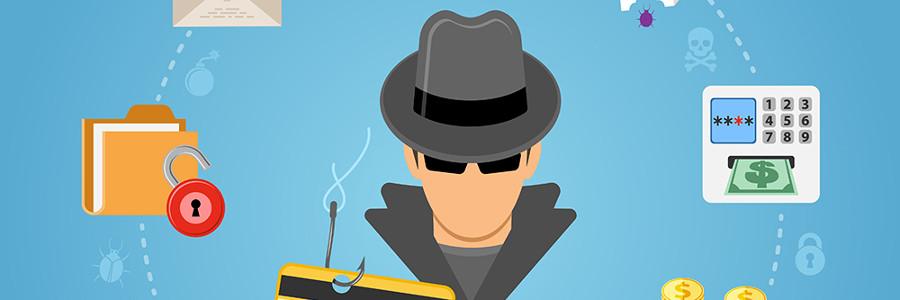
Every time we learn about a cyberattack that has affected so many businesses, we invest in security technologies that will safeguard our systems. This year, however, social engineering attacks have taken center stage in the Rio Olympics. Using various scams, hackers can circumvent network security systems by convincing gullible users into giving away sensitive information. But spectators aren’t the only victims. Without knowing the most common social engineering exploits, your business’s data is also at risk. That’s why we have compiled four of the most frequently used social engineering scams to help protect you and your business. Phishing Phishing scams are perhaps the most common type of social engineering attack. Usually seen as links embedded in email messages, these scams lead potential victims into seemingly trustworthy web pages, where they are prompted to fill in their name, address, login information, social security number, and credit card number. Phishing emails often appear to come from reputable sources, which makes the embedded link even more compelling to click on. Sometimes phishing emails masquerade as government agencies urging you to fill up a personal survey, and other times phishing scams pose as false banking sites. In fact earlier this year, fraudulent Olympics-themed emails redirected potential victims to fake ticketing services, where they would eventually input their personal and financial information. This led to several cases of stolen identities. Tailgating What’s the best way to infiltrate your business? Through your office’s front door, of course! Scam artists can simply befriend an employee near the entrance of the building and ask them to hold the door, thereby gaining access into a restricted area. From here, they can steal valuable company secrets and wreak havoc on your IT infrastructure. Though larger enterprises with sophisticated surveillance systems are prepared for these attacks, small- to mid-sized companies are less so. Quid pro quo Similar to phishing, quid pro quo attacks offer appealing services or goods in exchange for highly sensitive information. For example, an attacker may offer potential targets free tickets to attend the Olympic games in exchange for their login credentials. Chances are if the offer sounds too good to be true, it probably is. Pretexting Pretexting is another form of social engineering whereby an attacker fabricates a scenario to convince a potential victim into providing access to sensitive data and systems. These types of attacks involve scammers who request personal information from their targets in order to verify their identity. Attackers will usually impersonate co-workers, police, tax authorities, or IT auditors in order to gain their targets’ trust and trick them into divulging company secrets. The unfortunate reality is that fraudsters and their social engineering tactics are becoming more sophisticated. And with the Olympics underway, individuals and businesses alike should prepare for the oncoming wave of social engineering attacks that threaten our sensitive information. Nevertheless, the best way to avoid these scams is knowing what they are and being critical of every email, pop-up ad, and embedded link that you encounter in the internet. To find out how you can further protect your business from social engineering attacks, contact us today. Published with permission from TechAdvisory.org. Source.
What makes a good keyboard

Like new cars and smartphones, new keyboards are also initially alluring enough to elicit everyone’s oohs and ahs. But as their novelty fades, it’s easy to start taking them for granted. Is typing on them slower than before? Is the gaming experience they deliver no longer up to par? Whether for leisure or business purposes, good keyboards really make a difference. Next time you’re shopping for one, take these four factors into consideration as well. Connectivity If the internet and computer mouse possess wireless capabilities, why should your keyboard be any different? This is debatable, depending on what exactly you use the keyboard for. Keyboards are normally plug-and-play devices that don’t require additional software installation (excluding certain gaming models); wired models draw power from the USB,eliminating the use of batteries altogether. Gamers tend to prefer wired over wireless because they won’t have to deal with lag and interference issues. Looking to declutter? Wireless is the way to go. With wireless keyboards, data is transmitted to your PC via one of two primary means: either through an RF connection to a USB receiver or via Bluetooth. They might have their pros and cons, but they significantly reduce the number of cables on your desk while allowing you more flexibility to work — lie down on the couch and type from across the room. Also, most wireless keyboards connect to the PC via a 2.4-GHz wireless dongle that are also used for cordless phones and Wi-Fi internet. Providing connectivity to multiple devices at once. Type of Key Switches This aspect of keyboard design is widely mentioned in reviews, yet many people overlook the importance of the type of switches used for individual keys. Although the intricate mechanisms that hide beneath the keys might not excite you, the difference you feel from each type will. The three main types of key switches include silicone dome, scissor switches, and mechanical switches. For example, keyboards that come with a new desktop PC generally use silicone-dome switches, whereby two dimpled layers of silicone membrane form a grid of rubber bubbles that acts as the switch for each key. This type also requires you to press the key right to the bottom in order for a letter to be typed, gradually diminishing its springiness and responsiveness over time. Why have the newer laptops and ultrabooks ditched silicone domes for scissor switches instead? Scissor switches add a mechanical stabilizer that provides uniformity. Moreover, under each keycap is a plunger that allows for shorter key travel. This causes scissor-switch keyboards to have a shallow typing feel with enhanced durability when compared with silicone dome switches. What keyboard enthusiasts can’t get enough of are the mechanical switch keyboards. Their intricacy lies in the spring-loaded sliding keypost beneath each key. Several variations are available, and each provides slightly different sensations or sounds. Mechanical switches generally provide enhanced tactile feedback, having more of the “clickety-clack” sound. Thanks to the sturdy switch mechanisms and durable springs, they last longer and are also easily repairable. Furthermore, each keystroke registers shorter travel, making them ideal for touch typists. Ergonomics In order to keep carpal tunnel syndrome and repetitive stress injury at bay, keyboards are designed to allow your hands to remain in a neutral position while typing. Not only do ergonomic keyboards provide greater comfort, they also reduce joint and tendon stress, sparing you from relentless inflammation as well as pricey surgical procedures. Ergonomic features range from simple padded wrist-rests to elaborate curved and sloped keyboards. Standard vs. Gaming Usage Keyboard usage isn’t limited only to typing. That’s why gaming keyboards are designed for competitive usage, which allows for maximum specialization and control. Some are even customized to fit specific styles of game play, considering exact standards of durability as well as responsiveness. Others may also incorporate pulsing backlight and vibrant color schemes that cater to the gamer aesthetic. Certain premium models utilize high-grade mechanical key switches, sculpted keycaps, and numerous customizable features such as programmable macro commands and tweakable backlight intensity. Gaming keyboards are also equipped with the anti-ghosting feature that allows multiple keystrokes to be registered simultaneously — something regular keyboards can’t do. Other goodies range from pass-through USB ports to audio connections on the keyboard. This simplifies the process of connecting peripherals to a desktop PC. It won’t hurt to take some time to see if your current keyboard is delivering. Do not settle for anything but the best. If you need any help or have questions regarding the intricacies of finding the right keyboard, don’t hesitate to mail us or drop us a line. We’re more than happy to help. Published with permission from TechAdvisory.org. Source.
Arrange meetings with Microsoft FindTime

While an impressive arsenal of weapons can help you win a battle, you need diligence, perseverance and sacrifice to win the war. But when that war is waged in the arena of calendar management, you’re dealing with a whole other monster. When scheduling meetings, uncontrollable factors like varying schedules and department-specific time constraints mean that the same war strategy won’t yield the same successful results. Allow Microsoft FindTime to lead your organization to victory in the battle of cross-organization meeting arrangement. Before any meetings take place, you’ll need to download Microsoft FindTime first. Fear not, because this Microsoft Outlook add-in is easily downloadable and is 100 percent free. FindTime was developed to help you and your guests do just that — find time! Coordinating all attendees’ schedules, FindTime will iron out a time that works for everyone. Just the thought of having to organize a meeting across your organization can stir up anxiety and elicit a huge sigh… Sigh! Why? On top of handling your own hectic schedule, you’re expected to juggle your attendees’ schedules as well. This would be the moment when telephone calls start to flood in and emails start to go back and forth, rarely heading toward a unified decision. Bid adieu to all of that with Microsoft FindTime. Simply compose a new email or reply to an existing one and click the New Messaging Poll at the upper right hand corner. From there, choose the attendees, propose a couple tentative meeting times, and let the voting begin! Once a consensus is reached, a confirmation email is automatically sent to everyone attending. What makes it even easier is that attendees can take a look at the visual summary that tallies all the votes, and who voted for what times. This lets you see what times the majority of people have chosen, giving you a chance to rework your schedule in advance if and when necessary. Another plus is that to receive a Microsoft FindTime invitation, your friends and family don’t need an email address or even an Internet connection! Participants aren’t required to have Office 365 either; only the organizers need to access Office 365. This means that you can reach out to your friends, loved ones, and colleagues to organize your meetings, set up playdates, and even plan surprise birthday parties — the possibilities are endless. For more info about Microsoft FindTime, feel free to send us an email or give us a call! Our experts will gladly answer your questions. We believe that time is money, and money is the last thing you’d want to jeopardize. Allow us to help safeguard your assets by ensuring that all the time you spend on the clock doesn’t go to waste. Every minute counts. Published with permission from TechAdvisory.org. Source.
5 tips to build a better chatbot

In today’s tech-centric world, the demand for new apps is overwhelming the supply. Whether due to simple curiosity or just plain excitement, people are usually drawn to chatbots. In time, however, novelty wears thin and people lose interest. This may be partially due to the fact that bots aren’t as engaging as we initially imagined them to be. Fortunately, the silver lining here is that necessity — or in this case, boredom — is the mother of invention, so people customize these chatbots to create a better experience.Here are 5 tips to get you started: Emulate the WeChat Model This Chinese cross-platform instant messaging app has housed chatbots since 2011 and shows no signs of letting up. When compared with other countries, China’s bot market is at a further development stage, meaning there are many things to learn from WeChat’s chatbots. Here a few of them: Two types of bot accounts: WeChat offers Subscription and Service accounts. Subscription accounts mainly gather news and blogs, whereas Service accounts are fully-functional bots that offer features like speech recognition as well. News: News bots make up over 34 percent of the Top 500 Bots in China. This means that WeChat is the main news source for Chinese citizens. Top five categories: Current Affairs, Culture, Entertainment & Sports, Humor, and Emotions — these five categories compose almost 50 percent of the top 500 bots on WeChat in July 2016. Focus on chatbot-only use cases With every new technology comes new ways of doing things that weren’t possible before. So this begs the question: “What problems can you solve with chatbots that you couldn’t otherwise solve without them?” Take Uber, for example. The reason behind its success is the implementation of this strategy — leveraging smartphones with GPS and payment capabilities to get cabs (something that couldn’t have been done before). Currently, bots face the same challenge. Here are some examples of chatbot-only use cases: Legal Help: DoNotPay, the world’s first robotic lawyer, managed to overturn 160,000 tickets in London and NYC, saving over $3 million for customers. And since the bot takes 25 percent of the savings, the company made nearly one million dollars. Customer Service: Calling an 800 number is usually not the most pleasant experience, and so few people even bother. . Moreover, many companies struggle with improving customer service. Bots will change that. Make it special Chatbots are an extension of what we do practically every day: talk. An average person has between 50,000 to 70,000 thoughts per day; we constantly think in words and are constantly conversing with ourselves. A.I. isn’t quite at our level yet. We aren’t capable of schmoozing with our bots or telling them how bad our day went. But through speech, bots can take the first step toward that reality by helping us rationally solve problems. What do we really need? It’s undeniable that in today’s modern world, increasingly more people feel lonely and disconnected, so they look for ways to connect with the outside world. A recent survey of over 12,000 Assistant.ai users reveals that over 40 percent can picture a relationship with their A.I., and that 25 percent are actually open to the idea. Human beings tend to anthropomorphize and assume relationships since we’re constantly seeking to relate. If poorly-made chatbots can offer us an anthropomorphous opportunity, imagine what properly engineered ones can do. Strike a nerve For people to really care, you have to truly touch them on an emotional level — or as the expression goes, hit a nerve. An ideal way in to do this is by calling them to action via personality. This allows us to easily connect and establish a relationship, and that’s why bots are considered to be the ideal vehicle to a personalized marketing relationship. They allow for an intimately unique experience that meets both physical and emotional needs. So what makes a good chatbot? Sufficient problem solving capacities while being fun, positive and engaging. If you are unsure about anything written in the article, don’t hesitate to give us a call! We’ll be more than happy to answer any chatbot-related questions you have. Published with permission from TechAdvisory.org. Source.