
Microsoft ending support for Office 2013
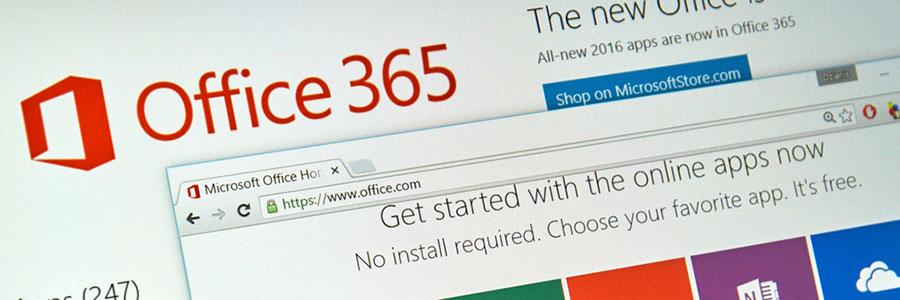
To make sure enterprises get the most out of their Office 365 package, Microsoft announced it will no longer support Office 2013 by the end of February. Instead, the tech giant will push enterprises to upgrade to Office 2016. If your business is still using the 2013 version, here are some things you need to know right away. Effective February 28, Office 2013 client applications and language packs will no longer be available from the Office 365 self-service portal and Admin Center. On top of that, Microsoft will no longer release feature updates for Office 2013 and will focus solely on upgrading the recent 2016 version. And because Office 2016 doesn’t support Microsoft Exchange Servers 2007 or earlier, you’ll need to upgrade your mail server as well. The end-of-support changes apply to Office 365 Pro Plus, Small Business Premium, Business, Project Pro, and Visio Pro subscriptions. Although critical security updates for 2013 products extend to April 10, 2018, businesses should really consider making the move to Office 2016 to take advantage of the latest productivity features. With Office 2016 versions of Word, Excel, and PowerPoint, users can look up web information right from the document interface. What’s more, employees have access to advanced, collaborative features like Skype integrations, Office 365 Planner, and Delve. If your business plans to migrate to Office 2016, don’t forget to consider the minimum system requirements: 1 GHz processor 2GB RAM 3 GB of available disk space 1280 x 800 screen resolution Windows 7 OS, or above To make the transition process smoother, Microsoft is offering FastTrack migration, a service providing organizations with the tools to help them make the move from one Office version to another. However, if you need more advice on moving to Office 2016, contact us today. We’ll make sure your Office 365 is always up-to-date. Published with permission from TechAdvisory.org. Source.
Browsers leak sensitive info to hackers

The Autofill feature fills a void in the web browsing habits of many. It eliminates the need to enter all your details when logging on your social media accounts or when checking out your basket after e-shopping. On Chrome and Safari browsers, however, danger lurks when you rely too much on autofill. Without knowing it, you may be exposing personal information to hackers who have found a way to steal your credit card info and shop at your expense. How do they do it? By concealing other fields in a sign-up form, users are tricked into thinking they only have to fill out a few fields. The trickery at work is that upon auto-sign up, other fields, which could include your billing address, phone number, credit card number, cvv (the 3-digit code used to validate credit card transactions), and other sensitive information, are auto-filled with the user none the wiser. This sinister trick is nothing new, but since there hasn’t been any countermeasure since it was first discovered, the threat it poses is worth emphasizing. Finnish whitehat hacker Viljami Kuosmanen recently brought to light how users of Chrome and Safari are particularly vulnerable, and he even came up with a demonstration of how this phishing technique is perpetrated. The technique is so sneaky, it’s enough to make one give up online shopping forever. Using plugins and programs such as password managers is also fraught with the security risk, as having access to such a utility empowers cyberthieves to do more than just obtain your credit card info; it opens them up to a great amount of personal details. Preventing an autofill-related theft So what can you do to avoid falling prey? Using Mozilla Firefox is one of the easiest available solutions. As of today, Mozilla hasn’t devised a mechanism that affords its users the same convenience that Chrome and Safari users enjoy with autofill. When filling web forms on Firefox, users still have to manually pre-fill each data field due to a lack of a multi-box autofill functionality – a blessing in disguise, given the potential for victimization in autofill-enabled browsers. Another quick fix is disabling the autofill feature on your Chrome, Safari and Opera (for Apple mobile devices) browsers. This would mean that when filling out web forms, you’d have to manually type responses for every field again, but at least you’d be more secure. It’s not exactly the most sophisticated form of online data and identity theft, but complacency can result in being victimized by cyber swindlers. Take the first step in ensuring your systems’ safety by getting in touch with our security experts today. Published with permission from TechAdvisory.org. Source.
Why your business needs CRM

The right technology investment can lead to business success. With customer relationship management (CRM) software at the helm of your sales and marketing efforts, you can nurture long-lasting business relationships and improve your bottom line. If you need a little bit more convincing, we’ve compiled five more reasons why your business needs CRM. Grows with your business The ol’ Rolodex may have been useful for managing a few clients, but you’re going to need a better solution if you plan to maintain relationships with hundreds, possibly thousands, more. CRM scales with your business, meaning it can handle larger data sets and more clients as you expand your sales operation. Organizes your data CRM software acts as a central database for all your sales records and transactions. This means important customer information can be retrieved in just a few clicks rather than rifling through thousands of documents, sticky-notes, and disorganized cabinets. And since CRM is hosted in the cloud, sales data, customer interactions, and other actionable information are available for the entire company. Improves customer service Your sales team could be the most persuasive individuals in the world, but this means nothing if they can’t recall anything about their clients and their preferences. When your sales staff follows up on leads or existing customers, CRM will automatically retrieve contact history, past purchases, and customer preferences from your client database and display them on a single page during the call. From here, sales representatives, armed with detailed customer information, will be able to recommend products and services that meet the client’s needs. So instead of struggling through a sales call, marketing employees can focus on delivering a professional sales pitch. Streamlines your sales funnel CRM comes equipped with workflow management functions, supporting your sales pipeline in a number of ways. For example, you can configure your CRM to send instant follow-up emails when a lead visits a particular product page. You can even use automation to track where certain leads are in the sales pipeline and delegate the task to one of your closers. Analyzes sales data With real-time sales information, business managers can track marketing campaigns and adjust their strategy accordingly. For instance, you might notice that click-through-rates for promotional emails and company newsletters are higher during Tuesday afternoon rather than Friday night. Having this information can help you focus your marketing efforts and message to generate more leads. In addition, you can use CRM to analyze customer calling activity, market demographics, lead conversion rates, and key performance indicators to help inform future business decisions. Understanding your customers can put you several steps ahead of the competition. If you need to manage contacts, eliminate time-consuming procedures, and improve your sales performance, CRM is the perfect business solution. Contact us today to find out whether CRM is the right fit for your business. Published with permission from TechAdvisory.org. Source.
G Suite launches new features

Tech giant Google has always listened to customer feedback to make continuous improvements to its powerful suite of applications. And in the most recent case, Google Cloud’s G Suite has introduced five new updates. What do they include and are they worth getting excited about? Basic Mobile Management G Suite’s Basic Mobile Management offers an agentless way to manage iOS devices by allowing admins to mandate basic security on those devices without requiring users to install mobile device management profiles. Admins no longer need to set up an Apple Push Certificate and renew it regularly. What’s more, admins can now enforce a screen lock, wipe corporate accounts, and view, search and manage their device inventory easily. Should your organization require additional restrictions, mobile audit or application management on iOS devices, you can ensure those settings are adequately achieved using the Advanced Mobile Management option. Explore Available in Google Docs, Sheets and Slides, Explore gives you insights, design tools and research recommendations that allow you to easily cite findings by inserting citations as footnotes with the click of a button. You can choose between MLA, APA, and Chicago style formats, too. Iterative calculation Iterative calculation is the latest feature in Google Sheets (File >Spreadsheet settings > Calculation > Iterative calculation). This feature allows you to set the maximum number of times a calculation with a circular reference can take place. You can specify a convergence threshold which will stop the calculations when results from successive calculations differ by less than that threshold value, even if the maximum number of calculations has yet to be reached. It sure sounds like a mouthful, but for anyone working with spreadsheets, this is a much needed development. Sheets Android UI Ever feel annoyed by the language and menu search of Google Sheets in your Android device? Endure no more, as the app UI has been updated with right-to-left language settings to read and navigate. Searching the menus in Sheets on the web like in Docs and Slides can now be done, too. Gmail messages Bounced messages and message headers are now easier to read and understand. When your mail has problems being delivered, the bounce message now features a more user-friendly text as well as translations into your language (if the language has been set on the account). The original message will still be available below the bounce message. Message headers, on the other hand, will be shown in a table with an easy-to-read format. Message Id, SPF and DKIM status will be right in plain view. Links to download the actual original message and the ability to copy to clipboard are now available, too. The original message header can be found below the table. Stay tuned for more updates from Google and other cloud solutions that will help enhance productivity for your small business. If you have any questions about G Suite or would like to know about other cloud solutions that can help transform the way you work, just give us a call today. Published with permission from TechAdvisory.org. Source.
Utilizing Google’s Cloud Print service

When you picture cloud computing and printing devices, you might think of endless copies of clouds flying out of the printer. But that analogy wouldn’t quite apply for Google’s Cloud Print service, though. This cloud-computing hybrid allows you to access both regular and internet-enabled printers through the Internet. What are the benefits? Are they worth looking into? Read on for additional insight. First things first, the printer needs to be connected to your primary computer (the one you’ll use to access the printer in the future). Once connected, the computer can be added to Cloud Print. If it isn’t already installed, you need to install Chrome for Windows or Mac. From there, type chrome://devices into the address bar to bring up devices Chrome can work with. Click “Add printer” and make sure the printer you want to link is ticked. From the same screen, you’ll be able to configure printer settings. Click Manage next to any of the listed printers to upload new print jobs, rename or remove printers, or share a printer with someone else. This allows you to give certain people access to your printer. If you need to print something off your mobile device, you can do so with the Cloud Print app on Android, where a print option should appear in the Sharing menu. It’s slightly trickier on iOS, but you can still cloud print from Google’s iOS apps using the Google-recommended file management, transfer and printing application PrintCentral Pro to bridge the gap. And as expected, Cloud Print works seamlessly with Chromebooks as well. Just choose Print from the main menu and voila! If you’re interested in hearing more news on Google’s Cloud Print function or staying up-to-date on the IT world, feel free to let us know. Published with permission from TechAdvisory.org. Source.
Simplify calendar sharing with Office 365

Knowing your friend’s schedules comes in handy when you’re trying to arrange a reunion, and the same can be said for businesses. Through calendar sharing, employees can simultaneously arrange meetings, prioritize projects and set schedules for contacting customers. Unfortunately, it isn’t as easy as it sounds. Recently, Microsoft made changes to its calendar sharing function that might make things a little simpler. Here are some of them: Simplicity Users’ first impression of the new model is that it’s much simpler. To share your calendar, simply click the Share option in the calendar menu bar and then enter the names of people with whom you wish to share. With a few clicks, you can decide who gets to see your schedule and how much of it they can view. On top of that, you’ll be able to nominate users who create appointments or accept meeting requests on your behalf – when the update rolls out in early 2017. What sharers get to see Once a user accepts a sharing invitation, the calendar is then added to the set they open. The invitation needs to be accepted using an updated client in order for the embedded instructions to be properly processed. Depending on how much you’re willing to share, the calendar allows you to either show full details of your schedule or just certain parts of it. Mobile devices included Besides the new sharing interface, this model extends into mobile devices where Outlook for iOS, Android, and Windows 10 Mobile will be able to view and edit shared calendars for the first time. And because calendar events are time-sensitive, changes will be executed and synced immediately, ensuring that your calendar is always accurate. Immediate synchronization is available for OWA and mobile clients. For Mac users, Outlook continues to use periodic synchronization. This is used to share calendar information with users outside of your Office 365 tenant. Updates: Outlook for Mac Known as the black sheep of the Outlook family, implementation features of Outlook for Mac generally differs from the way things are done in other clients. Fortunately, Outlook for Mac’s calendar sharing function is being upgraded, with changes that include: Intuitive UI to match other Outlook clients, including the addition of an Accept button to simplify calendar sharing invitations. Shifting away from the Mac-specific local linked calendars, roaming shared calendars reads data from Exchange Online to ensure the same set of shared calendars are visible across all devices. Immediate synchronization will replace periodic synchronization. Even the tiniest details — calendar sharing included — have the potential to greatly impact the outcome of your business. If you have questions or concerns about managing various aspects of Office 365, feel free to get in touch today. Published with permission from TechAdvisory.org. Source.
Cyber security and managed services

Cyber security is something you hear about a lot these days. Sometimes it’s thrown around to scare business owners, other times it has proven to be a cautionary tale, one that small businesses can learn from to fend themselves from online threats that can leave devastating impact. What’s certain is statistics don’t lie, and as much as you’d like to believe your business is safe, the worst could happen at any time. Because antivirus software alone can only do so much to protect your business, managed services has become the solution. To make our case, here are several statistics that prove you need managed services from a technology provider. The numbers Small businesses are not at risk of being attacked, but worse, they’ve already fallen victim to cyber threats. According to Small Business Trends, 55 percent of survey respondents say their companies have experienced cyber attack sometime between 2015 and 2016. Not only that, 50 percent reported they have experienced data breaches with customer and employee information during that time, too. The aftermath of these incidents? These companies spent an average of $879,582 to fix the damages done to their IT assets and recover their data. To make matters worse, disruption to their daily operations cost an average of $955,429. The attacks So what types of attack did these businesses experience? The order from most to least common are as follows: Web-based attacks, phishing, general malware, SQL injection, stolen devices, denial of services, advanced malware, malicious insider, cross-site scripting, ransomware and others. Why managed services? Managed services is the most effective prevention and protection from these malicious threats. They include a full range of proactive IT support that focuses on advanced security such as around the clock monitoring, data encryption and backup, real-time threat prevention and elimination, network and firewall protection and more. Not only that, but because managed services are designed to identify weak spots in your IT infrastructure and fix them, you’ll enjoy other benefits including faster network performance, business continuity and disaster recovery as well as minimal downtime. One of the best things about managed services is the fact that you get a dedicated team of IT professionals ready to assist with any technology problems you might have. This is much more effective and budget-friendly than having an in-house personnel handling all your IT issues. Being proactive when it comes to cyber security is the only way to protect what you’ve worked hard to built. If you’d like to know more about how managed services can benefit your business, just give us a call, we’re sure we can help. Published with permission from TechAdvisory.org. Source.
Why consider disaster recovery for 2017

The new year is well upon us, and with it comes an equally new IT budget. Judging by the advancements in computing technology, many 2017 business wish lists probably include powerful onsite servers, workstations, and the Internet of Things. But as tempting as these purchases may be, it’s important that you don’t dismiss an old yet essential IT resolution: disaster recovery. DR isn’t a huge investment A common misconception about disaster recovery is that it’s a large, bank-breaking investment. Expensive secondary data centers, networks, and server maintenance usually come into mind when a business owner is confronted with the idea of business continuity. And while that may have been true in the past, establishing a strong disaster recovery plan today is as simple — and as cheap — as going to a cloud-based disaster recovery provider and paying for the data and services that your business needs. Subscription pricing models are actually incredibly low, meaning you can have minimal downtime while still having enough to invest in new tech. Onsite backups just won’t cut it Although you might feel secure with a manual backup server down the hall, it is still susceptible to local disasters and, ultimately, does very little in minimizing company downtime. When disaster recovery solutions are hosted in the cloud or in a virtualized server, restoring critical data and applications only take a few minutes. Business disasters can be man-made, too Even if your workplace is nowhere near frequent disaster zones, cyber attacks and negligent employees can leave the same impact on your business as any natural disaster can. Setting a weak password, clicking on a suspicious link, or connecting to unsecured channels is enough to shut down a 5-, 10-, or even 50-year-old business in mere minutes. Sure, installing adequate network security is a critical strategy against malicious actors, but last year’s barrage of data breaches suggests that having a Plan B is a must. A suitable disaster recovery plan ensures that your data’s integrity is intact and your business can keep going, no matter the malware, worm, or denial-of-service attack. Downtime will cost you A business without a DR plan might come out unscathed after a brief power outage, but why risk the potential damages? Either way, downtime will cost your business. First, there’s the general loss of productivity. Every time your employees aren’t connected to the network, money goes down the drain. Then there’s the cost of corrupted company data, damaged hardware, and the inevitable customer backlash. Add all those variables together, and you end up with a business-crippling fee. So, if you want 2017 to be the best year for your business, make the smart choice and proactively take part in creating your company’s business continuity plan. Your business will be in a better position financially with it than without it. Keep your business safe, recover from any disaster, and contact us today. Published with permission from TechAdvisory.org. Source.
Facebook’s group voice calling

“What’s your Facebook name?” is not a question you’re often asked when someone needs your contact details. In the first place, Facebook messaging isn’t everyone’s voice call app of choice, especially for group conversations. As of now, Skype rules that arena, especially for business communications. However, once the social media giant has put the finishing touches on its desktop-capable group voice calling, you can expect to hear “What’s your Facebook name?” a bit more. It might even become the norm. No one gets left behind In group chats, there’s always that one person who gets the joke last, or reads it last, and so feels left out. With Facebook’s group video chat, this never has to happen as every participant in the group can be connected at the same time. The functionality is still in the “small test” phase, which means certain details are still being ironed out. When it fully launches, though, expect a considerable portion of Facebook Messenger users to consider moving their Skype group video conversations to Facebook. Potentially compelling benefits Since introducing its audio calling capability in 2013, Facebook has worked hard to keep up with the competition. Facebook’s introduction – and potential domination – of desktop group video calling might signal the end of times for Skype and other players. For one, Facebook and social media user growth hasn’t shown signs of slowing down. Moreover, most users of internet telephony might inevitably see the advantages of using a single platform for their social media activity and online communications. Possible user reservations Users who prefer a communication tool that creates zero distractions in their chats might not opt for Facebook when conducting group video conferences. Facebook is, first and foremost, a social media platform, which serves as a springboard for important news updates, personal anecdotes, and funny cat videos. Not everyone will prefer all those distractions while in a business meeting. Those looking for a clean communications tool might find the wealth of content a bit overwhelming. In addition, employees of small companies in need of a free communications tool might not immediately warm up to the idea of surrendering their Facebook profile as an official point of contact. If there’s anything Facebook has proven, however, it is the ability to improve upon previous versions by adding or removing details to enhance user experience. Users may not always be pleased with the updates, but that hasn’t slowed down the billion-user company’s popularity. If the newly introduced desktop group video calling function proves efficient, Facebook might persuade even more users to lean towards its messaging tool. With many options to choose from, the only thing left for people to do is discern which platform best serves their communications needs. For advice on which VoIP platform is best for your business, contact us today. Published with permission from TechAdvisory.org. Source.
The state of web services in 2017

It’s a new year, and it’s time to start thinking about what information technology will look like in 2017. That could mean anything from forecasting the costs of adopting new technology to upgrading your products to better integrate with new trends. Whatever it may be, we’re putting down our predictions for how to get the most out of 2017’s web services, right here. #1 On-premises servers will survive another year Cloud adoption will most likely continue its stellar rise, but that doesn’t mean it will be hard to find affordable service for your in-house server or data center. Based on a recent survey of companies that utilize cloud services, nearly half will continue operating some sort of on-site data management in response to perceptions of security or compliance concerns. We may not believe those worries are well-founded, but that does mean hybrid clouds will continue to be a popular option. #2 Fewer headlines about machine learning, but more services Because machine learning requires so much data and processing power to solve everyday problems, an increase in cloud services and vendors in 2017 will also mean an increase in machine learning. But “AI” is so 2016, and consumers will soon tire of it. If you’re selling a service that utilizes this technology, you might want to rebrand it. And if you’re looking to use it internally, definitely don’t pay 2016 prices. #3 Voice commands will get better With the proliferation of cloud computing and high-speed internet connections, analyzing voice commands is much easier than when it took place in localized environments after hours of training software to recognize your speech patterns. Although better voice command technology may not mean much for running a business, big vendors like Amazon releasing development kits and application program interfaces does mean you have the opportunity to make your products and services more accessible via popular consumer technology such as Alexa. #4 The Internet of Things (IoT) hasn’t peaked yet Marketing experts are just as certain that consumers are feeling oversaturated with references to machine learning as they are that IoT hasn’t yet reached its full buzzword potential. If prices of connected devices come down, and their functionality improves, you can bet “IoT” will be one of the most profitable keywords of the year. If this technology doesn’t integrate with your products or services, there’s significant potential for its rise to stardom to make in-house business automation a whole lot better. #5 Containers won’t just be a fad As a subset of virtualized computing, containers unshackle applications from the constraints of single operating system compatibility. And with several vendors jumping into the market in late 2016 (such as Amazon Web Services), it’s a trend that we’re fairly confident will grow next year. The market for web services may seem too fickle to gamble on, but as a small business owner, you don’t have much of a choice. Technology is essential to reaching new customers, operating efficiently, and remaining competitive with your business rivals. If you’re ready to start the new year with a new outlook on these technologies, call us today. Published with permission from TechAdvisory.org. Source.