
6 tips for SMB Facebook pages

Facebook isn’t worth over $480 billion because people use it for just selfies and political rants. Businesses of all sizes and from all industries are using it to attract and engage customers, and yours should too. Aside from purchasing targeted advertisements, there are a host of free strategies to generate business with your SMB’s Facebook page. Focus on getting comments In the beginning of 2018, Facebook announced broad changes to what it shows to users. Notably, the social platform now prioritizes posts from friends and family over those from businesses. Zuckerberg says the aim is for users to engage with their connections more often, and going forward, the number of comments a post has will be the biggest factor in how many newsfeeds it shows up in. Posts from businesses lost a lot of visibility, but the ones that generated the most conversation weren’t hit as hard. Facebook-only promos Another great strategy for boosting user engagement is to offer product or service discounts that are only available through Facebook. You want users to see value in your page, so avoid copying and pasting a special, such as a discount code, from another marketing channel. One popular option is to promise the release of a new promotion in your next live video broadcast. Announce the details during the broadcast and tell viewers to leave a comment if they want to be included. Then, you can send them a direct message with a confirmation and a thank you. Facebook CTAs: Update them often Businesses have several text options for the ‘call to action’ button on their Facebook page. Would ‘Contact Us’ get more clicks than ‘Learn More’ for your page? Experiment with the different options and where they link to until you find the most successful combination. You probably spent more than a few minutes working on the CTAs for your website — why wouldn’t you do the same on Facebook? Don’t just post about yourself If a user has already liked your page, they know you exist and they have a decent idea of what you sell. Occasionally take a break from posting links to your site and include news and information that relates to your products or services. Remember, Facebook places the most value on social posts, and limiting yourself to company updates and promotions will bore your followers. Pin posts to the top of your page When a post generates lots of engagement and holds users’ attentions for a long time, don’t let it get buried underneath less popular posts. Click the arrow in the upper-right corner of the post and select Pin to Top to make it one of the first things people see when they visit your page. Be personal Most importantly, always look for ways to make your company’s Facebook page more personal. Stiff and formal posts are a dime a dozen and rarely catch anyone’s attention. If you share fun, behind-the-scenes photos of your business, respond to comments in a conversational tone, and make jokes, your page will stand out from the rest. A Facebook business profile may be free, but generating engagement will take some effort. We can help by installing and supporting communication and customer relationship management solutions that simplify the engagement process. Contact us today to find out more. Published with permission from TechAdvisory.org. Source.
5 Cybersecurity measures anyone can master

Avoiding malware and online scams takes a lot of work. You have to treat every email with suspicion, manage a long list of convoluted passwords, and avoid public WiFi networks. Ideally, you follow several other cybersecurity best practices, but many users don’t believe they’re worth the time. If you’re one of those people, here are five ways to stay safe that won’t eat up all your time. 1. Multi-factor authentication (MFA) This tool earns the number one spot on our list because it can keep you safe even after a hacker has stolen one of your passwords. That’s because MFA requires more than one form of identification to grant access to an account. The most common example is a temporary code that is sent to your mobile device. Only someone with both the password and access to your smartphone will be able to log in. Almost any online account provider offers this service, and some let you require additional types of verification, such as a fingerprint or facial scan. 2. Password managers Every online account linked to your name should have a unique password with at least 12 characters that doesn’t contain facts about you (avoid anniversary dates, pet names, etc.). Hackers have tools to guess thousands of passwords per second based on your personal details, and the first thing they do after cracking a password is to try it on other accounts. Password manager apps create random strings of characters and let you save them in an encrypted list. You only need one complex password to log into the manager, and you’ll have easy access to all your credentials. No more memorizing long phrases, or reusing passwords! 3. Software updates Software developers and hackers are constantly searching for vulnerabilities that can be exploited. Sometimes, a developer will find one before hackers and release a proactive update to fix it. Other times, hackers find the vulnerability first and release malware to exploit it, forcing the developer to issue a reactive update as quickly as possible. Either way, you must update all your applications as often as possible. If you are too busy, check the software settings for an automatic update option. The inconvenience of updating when you aren’t prepared to is nothing compared to the pain of a data breach. 4. Disable flash player Adobe Flash Player is one of the most popular ways to stream media on the web, but it has such a poor security record that most experts recommend that users block the plugin on all their devices. Flash Player has been hacked thousands of times, and products from companies like Microsoft, Apple, and Google regularly display reminders to turn it off. Open your web browser’s settings and look for the Plugins or Content Settings menu, then disable Adobe Flash Player. 5. HTTPS Everywhere Just a few years ago, most websites used unencrypted connections, which meant anything you typed into a form on that site would be sent in plain text and could be intercepted with little effort. HTTPS was created to facilitate safer connections, but many sites were slow to adopt it or didn’t make it the default option. HTTPS Everywhere is a browser extension that ensures you use an encrypted connection whenever possible and are alerted when one isn’t available on a page that requests sensitive information. It takes less than one minute and a few clicks to install it. If you run a business with 10 or more employees, these simple tips won’t be enough to keep you safe. You’ll need a team of certified professionals that can install and manage several security solutions that work in unison. If you don’t have access to that level of expertise, our team is available to help. Give us a call today to learn more. Published with permission from TechAdvisory.org. Source.
5 Ways iPads help SMBs go mobile

A decade ago, we could only imagine running a company on computers as thin as a wallet. But ever since Apple’s iPad emerged, employees can work on all sorts of productivity apps while they’re outside the office, conveniently and stylishly. Here are five ways your employees can enhance their mobile experience with iPad apps. Point of sale apps One of the most popular uses for iPads in SMBs is as a means of ringing up customer purchases. The checkout aisle has slowly been giving way to automation, and with apps like Vend and Revel you can save a great deal of money on expensive point of sale hardware and wasted employee time. From customer relationship management to loyalty programs and gift cards, these apps give your business a polished, professional front end. Presentation apps Business presentations are a staple of the white-collar world, and being ill-prepared for one can sabotage your profitability. Although in the past users were generally averse to creating presentations on ‘restrictive’ touchscreens, Apple’s continued dedication to making it possible is evidenced by their Keynote app. Before writing it off, check out the extremely intuitive creation and delivery functions. Social media management For better or worse, the number of social media avenues to promote your business are growing every day. Updating and managing each of them individually is tedious, and ultimately a waste of valuable time. Social media managers like HootSuite allow you to manage multiple accounts, schedule posts, and reply to messages — all from one place. HootSuite even has analytics and campaign plans directed toward small businesses looking to engage new customers. Remote Access Mobility is one of the most sought-after traits of any modern business. If you find yourself constantly away from your desk, a remote access app may be your golden ticket to staying productive on the road. Apps like LogMeIn and GoToMyPc give you unfettered access to your designated desktops. This way you can keep working from the cab, home, or airplane, like you never left the office. Invoicing/Payment tracking A desktop computer might seem like the ideal place to track invoices, expenses and employee hours, but mobile accounting apps are freeing up business owners to take their company on the road. SMBs with multiple locations or remote workers will love the cloud access afforded to them by the likes of FreshBooks and Outright. CEOs can push data to these apps from their iPad while their accountants review it from the other side of the country. When it comes to SMB technologies, we’re the experts. And whether it’s security or usability that has kept you from utilizing mobile devices in your business processes, we have a solution for you. Don’t risk exposing your business to unnecessary risks. Contact us today to set up a consultation. Published with permission from TechAdvisory.org. Source.
The benefits of Hardware-as-a-Service

Hardware-as-a-Service (HaaS) takes care of all your hardware-related issues, including upgrades, maintenance, and management for an affordable subscription fee. It’s a solution that offers small- and medium-sized businesses numerous benefits, and here are a few of them. Big savings For SMBs, cash flow is a crucial matter. HaaS is essentially like leasing hardware equipment so you don’t have to pay for all of it upfront. What’s more, you pay a fixed monthly cost for all the maintenance and upkeep you need. This allows you to turn a big capital investment into a small, manageable operational expense that leaves you money for more important projects. Advanced tech It’s not easy for small businesses to catch up with the latest technology since they have limited funds. By using HaaS, your MSP gives you cutting-edge hardware and ensures they get the most recent upgrades so you can run resource-intensive applications and work efficiently. Expert maintenance Hardware must be managed and maintained, but small- and medium-sized businesses (SMBs) often lack the proper expertise, labor, and time to do so. Fortunately, HaaS providers have a team of hardware specialists on staff, ready to fix and proactively manage your equipment for you around the clock. Flexible service As time progresses, your organization grows and changes, which means your IT needs will also evolve. HaaS makes it easy for you to add or decommission hardware when your operation grows or scales down. Robust security Software isn’t the only thing that needs to be up to date to defend against the latest cyberattacks — your hardware does, too. HaaS providers update hardware that may be susceptible to cyberthreats. For instance, they may upgrade outdated WiFi routers to make sure hackers can’t infiltrate your network and steal information. Thinking about switching to Haas but not sure where to start? Why not contact us today? We provide a variety of HaaS solutions tailored to suit any business’s needs. Tell us your IT requirements and let’s see what we can do. Published with permission from TechAdvisory.org. Source.
Hybrid clouds make SMBs more flexible

Cloud computing has become an indispensable component in business IT because it’s cost-effective, flexible, and secure. Thanks to hybrid cloud solutions, organizations have access to even more agile computing resources. Hybrid clouds are a combination of private and public clouds. In the former, data and applications that require tighter controls are hosted either internally or privately in an offsite facility. Public clouds are managed externally by third-party providers with the express purpose of reducing a company’s IT infrastructure. A recent study indicates that 75% of companies have adopted hybrid cloud solutions, mainly because of their numerous benefits. Here are the four most significant advantages of moving to a hybrid cloud environment. Adaptability Having the ability to choose between on-site/privately-hosted cloud servers and public ones let you pair the right IT solution with the right job. For example, you can use the private cloud to store sensitive files, while utilizing more robust computing resources from the public cloud to run resource-intensive applications. Scalability The hybrid cloud allows you to “scale up” or “scale down” computing resources on an as-needed basis. So if there are last-minute computing demands that your hardware can’t support, or if you’re planning for future expansion, hybrid cloud solutions allow for on-demand increases or decreases in capacity. Cost efficiency Does your business struggle to meet seasonal demands? With a hybrid cloud solution, you’ll be able to easily handle spikes in demand by migrating data from insufficient on-premise servers to scalable, pay-as-you-go cloud servers whenever needed, without incurring extra hardware and maintenance costs. Security Last but not least are the security advantages of a hybrid cloud solution. You can host sensitive data such as an e-commerce details or an HR platform within the private cloud, where it will be protected by your security systems and kept under close watch. Meanwhile, routine forms and documents can be stored in the public cloud and protected by a trusted third-party. Here’s how SMBs can set up a hybrid cloud model based on their requirements and the providers available to them: By employing one specialized cloud provider who offers comprehensive hybrid solutions By integrating the services of a private cloud provider with those of a separate public cloud provider By hosting a private cloud themselves and then incorporating a public cloud service into their infrastructure Our experts can help you transition to a hybrid cloud solution without interruption and without the huge costs. Contact us today to learn more about the benefits that a hybrid cloud can bring to your business. Published with permission from TechAdvisory.org. Source.
5 ways to capitalize on the latest tech fads

More money with less investment — that’s the dream, right? Counterintuitive as it may seem, flash-in-the-pan tech fads and trends may just be the way to achieve that. With the right tools, you can associate your SMB with popular new technologies. These are our five tips on how to cash in on things as silly and childish as Pokémon GO and as technical and trendy as the internet of things. Get in early One of the biggest indicators of your SMB’s success in monetizing a new trend is how early you get in. Fads, especially in the tech world, come and go in no time. Be careful investing in resources with a long-term commitment like new logos or graphics. Focus instead in low-cost workarounds like special promotions and social media campaigns that put you at the forefront immediately. Once the popular kids have moved onto a fresh fixation, you’ll be ready to move forward without skipping a beat. Use existing tools How can you get up to speed quickly without investing too much in permanent resources? The trick is to hijack existing opportunities and strategies for your own message. For example, John Deere has been selling farming equipment for over 150 years, with no signs of slowing down. But with a creative combination of existing GPS technology and mobile devices, they quickly jumped to the forefront of the “Internet of Things” craze by connecting their vehicles to crop planning practices. Participate in the narrative So you’ve identified a trend you want to capitalize on and commandeered existing tools to help sell your product. How else can you gain momentum? Social media is everywhere and doesn’t seem like a dying trend. However, it’s no panacea; simply posting “We’ve got a promotion on all seasonal products #inserttechfadhere” won’t bring obsessed customers to your doorstep. Take a minute to understand the mechanics of what pulls everyone away from work, friends, and family, and show participants you’re one of them. Is it competitive? Polarizing? Take a stand or pick a team and invite customers who are “on your side” to get a discount. Merge the fad with your business model With a little creative brainstorming, most business models can actually integrate their product or service with a passing trend. Chatbots have been shoring up the “deep learning” revolution, and clothing retailers have come up with a really creative way of employing them to drive sales. By simply providing their chatbots with a fashion tree, the bots can ask basic questions that whittle down clothing recommendations to those that align with customers’ tastes. Address difficulties presented by the fad What if you can’t find a way for your products or services to directly interact with the blazing new trend? The next best thing is to provide solutions to problems presented by it. Does interacting with the popular app or activity eat up a lot of mobile device battery? Remind passersby your outlets are available for customers, or that you sell mobile battery packs. Does it require driving all over town? Remind customers of your latest car rental promotion. Sometimes just associating yourself with the trend is enough. Not sure how to integrate your business with the latest fads? We’re the experts on all things technology related, from the most recent to the ancient. As a small- to medium-sized business owner, getting the most value out of your technology investments is crucial to getting your foot in the door and working your way toward bigger profits. From machine learning to Pokémon GO, no question is too trivial — ask us today! Published with permission from TechAdvisory.org. Source.
Malware threats for Android phones

Smartphones are like palm-sized computers, and they deserve the same protection as desktops and laptops. While you don’t need to install bulky security software to protect against cyberthreats, there are steps you can take to keep cybercriminals at bay. Mobile malware MO Mobile malware can be as harmful to a business’s network as infected desktops and laptops. Potential problems include overcharges on phone bills, stolen data, intercepting messages, tricking users with phishing attacks, and sending fake notifications to one’s contact list. Most malware comes from applications downloaded from third-party app stores and give hackers access to passwords, user account information, and other sensitive personal data. Since many business users link their Android devices to each other, malware could transfer from one device to the next. Who is responsible? The burden doesn’t fall solely on smartphone users. App stores such as Google Play Store are responsible, too, such as in the case of the malware-ridden banking and weather apps that were downloaded from the Google Play Store. In these cases, the companies that were affected were urged to provide updates regarding the malicious apps so they could be removed from the store. How to avoid being victimized by malware The Google Play Store isn’t 100% secure, but downloading from established app stores — and not from little-known and less secure ones — reduces the probability of downloading malicious apps. In cases when an infected app makes its way to the store and starts getting lots of downloads, Google will be quick to remove it from the store and make everyone aware of it. Despite app stores’ best efforts, it’s nearly impossible to prevent mobile malware from getting through to the store. That’s why it pays to read user reviews where infected users post detailed warnings. Also, regularly updating your mobile device’s operating system and security software helps prevent infection as the latest versions of those are patched against the latest known threats in app stores and elsewhere online. Malware doesn’t discriminate, so regardless of your computer or mobile device of choice, it will find a way to infect you if your software isn’t up to date. To find out whether your business devices are safe and fully protected, consult our cybersecurity experts today. Published with permission from TechAdvisory.org. Source.
Quick Guide to Virtualization as a DR plan

Although many business owners think that Virtualization and Disaster Recovery (DR) are two separate services, the former can actually be used as a legitimate solution to the latter. Here’s how it works, along with some pointers to keep in mind should you choose virtualization as your disaster recovery plan. Unlike tape backups, Virtualization restores your entire system in four hours or less by recovering your backed up servers, operating systems, and applications via the internet. This means you’ll lose fewer critical files due to minimal downtime and can resume normal operations promptly. While the speed of virtualized backups might sound alluring, there are a few key points you should be aware of before moving forward. Backup location for critical data – Where do you want your critical resources to be stored? Do you want it stored on tapes, disk technologies, or virtualized servers? Even if you choose virtual machines as your main backup plan, it’s highly recommended to back up your critical data on multiple sources to lower data loss risks and ensure fast recovery. Data to be backed up – If you decide to back up your critical data on virtual machines, you should figure out which data you want to store and designate specific virtualized servers to store them. In case a disaster does happen, you’ll know immediately where your backups are and can retrieve your data quickly to get your business up and running again fast. Systems to be virtualized – You should also identify and back up critical applications that’s necessary for your business’s operations, such as email, Microsoft Office programs, and other in-house applications. Once identified, you should remember to virtualize and store them off-site for seamless disaster recovery when your local servers fail. If you choose Virtualization as part of your Disaster Recovery solution, make sure your backups are monitored regularly so they’re up-to-date in the event of a disaster. Besides Disaster Recovery, there are many other benefits to Virtualization. Your business can reduce the amount of servers and other hardware in your office, lower electricity expenses, spend less time maintaining on-site servers, and save money in the process. Consider Disaster Recovery as a nice bonus that’s included with these benefits. Curious to learn how else Virtualization can benefit your business? Interested in a dedicated Disaster Recovery solution? Call us today and discover how our experts can protect your organization and save you money. Published with permission from TechAdvisory.org. Source.
Utilize these VoIP features more often

Voicemail, Do Not Disturb, and call recording are some of the obvious reasons why companies choose VoIP services for their communication needs. But other VoIP features are often underutilized, like customizable hold music or in-call coaching. For a more efficient work flow, check out these overlooked features. Busy lamp field The busy light notifies you when people can’t take your call. You avoid disrupting someone from an important phone call, and you can choose to wait or call someone else. You can manage your call times more efficiently, especially if you make several calls a day. In-call coaching Train your employees on how to speak with clients over the phone using add-on services like Barge and Whisper. Barge enables you to silently monitor your employee’s phone conversation, while Whisper allows you to coach your employees during a call, without the customer hearing you. Hot desking It lets you transfer your phone settings and preferences over to another IP device. Any available IP phone can become your “personal” phone when needed. Hold Music Make waiting more tolerable for your customer with hold music that’s tailored to your brand’s identity. It also reassures your caller that their call is being redirected, instead of hearing just dead silence. Hidden conferencing features VoIP video meetings have features that can mute other people, organize internal voting systems, and more. Hands-free dialing Save time looking for someone in your phonebook by adding a call button above someone’s email address. Call screening It displays the caller ID on your device, so you can ignore or pick up the call. Click-to-call This website widget makes it convenient for your customers to call you by simply clicking on a button on your page. Analytics This function provides an analysis of your VoIP usage, giving important details like: Who calls you the most, who you call the most, and your customers’ geographical distribution, among others. Such information is useful in tracking call usage, costs, etc. Get the most out of the VoIP services you paid for. To know more about the latest in VoIP trends and services, contact us today. Published with permission from TechAdvisory.org. Source.
New Office 365 cyberattack on the loose
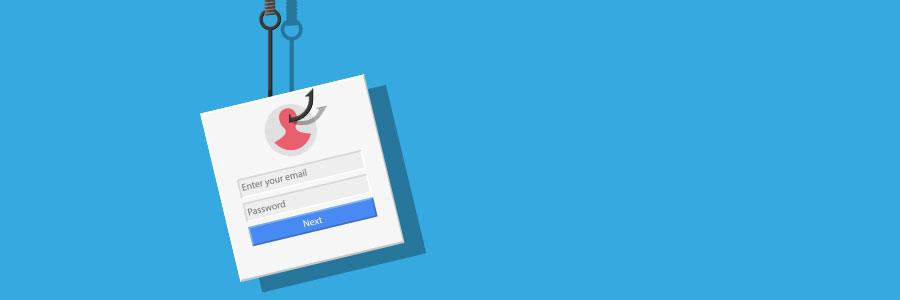
Phishing scams disguise malicious links and emails as messages from trusted sources. The most recent scam to watch out for almost perfectly imitates a trusted invitation to collaborate through Microsoft SharePoint. It’s a three-step attack that’s easy to avoid if you know how it works. Step 1 – Invitation to collaborate email The first thing victims receive from hackers is a message that looks identical to an email from Microsoft’s file sharing platform SharePoint. It says, “John Doe has sent you a file, to view it click the link below…” In most cases, the sender will be an unfamiliar name. However, some hackers research your organization to make the email more convincing. Step 2 – Fake file sharing portal Clicking the link opens a SharePoint file that looks like another trusted invitation from a Microsoft app, usually OneDrive. This is a big red flag since there’s no reason to send an email containing a link to a page with nothing but another link. Step 2 allows hackers to evade Outlook’s security scans, which monitor links inside emails for possible phishing scams. But Outlook’s current features cannot scan the text within a file linked in the email. Once you’ve opened the file, SharePoint has almost no way to flag suspicious links. Step 3 – Fake Office 365 login page The malicious link in Step 2 leads to an almost perfect replica of an Office 365 login page, managed by whoever sent the email in Step 1. If you enter your username and password on this page, all your Office 365 documents will be compromised. Microsoft has designed hundreds of cybersecurity features to prevent phishing scams and a solution to this problem is likely on the way. Until then, you can stay safe with these simple rules: Check the sender’s address every time you receive an email. You might not notice the number one in this email at first glance: johndoe@gma1l.com. Confirm with the sender that the links inside the shared document are safe. Open cloud files by typing in the correct address and checking your sharing notifications to avoid fake collaboration invitations. Double check a site’s URL before entering your password. A zero can look very similar to the letter ‘o’ (e.g. 0ffice.com/signin). Third-party IT solutions exist to prevent these types of scams, but setting them up and keeping them running requires a lot of time and attention. Give us a call today for information about our unlimited support plans for Microsoft products. Published with permission from TechAdvisory.org. Source.